There are several ways to track a shipment: with the track & trace details you can request through an API connection, or via MyWuunder.
In MyWuunder, two separate overviews show the track & trace status of shipments you've sent (Sending) and returns (Receiving).
FOLLOW ALL YOUR ORDERS IN ONE DASHBOARD
The overview screen shows the latest status information for the shipments you've sent or are about to receive (both domestic and international), from all carriers, such as:
| Status | Icon | More information |
|---|---|---|
| Pending printing |  | The shipping label still needs to be printed. |
| Ready for pick-up |  | The shipping label has been printed and the shipment is ready to be collected. |
| Ready for pick-up at pick-up point |  | The shipping label has been printed, the shipment has been dropped off at a pick-up point and is ready to be collected. |
| In transit |  | The carrier has collected the shipment and it's on its way. The location shows where the shipment was last scanned (depending on the carrier). |
| Out for delivery |  | The shipment will be delivered today. |
| Available for pick-up |  | The shipment has been delivered to a parcelshop and can be collected by the recipient. |
| Wuunder is fixing it! |  | See a red package with an exclamation mark? Then something has gone wrong. Wuunder is working with the carrier to get your shipment moving again. |
| Claim |  | There's damage or an issue, and Wuunder is trying to recover the damage from the carrier for you. |
| Return |  | The shipment is being returned. |
TRACK & TRACE IN ONE DASHBOARD — ALL CARRIERS
On the MyWuunder pages for sent shipments (Sending) and returns (Receiving), action buttons help you work more efficiently.
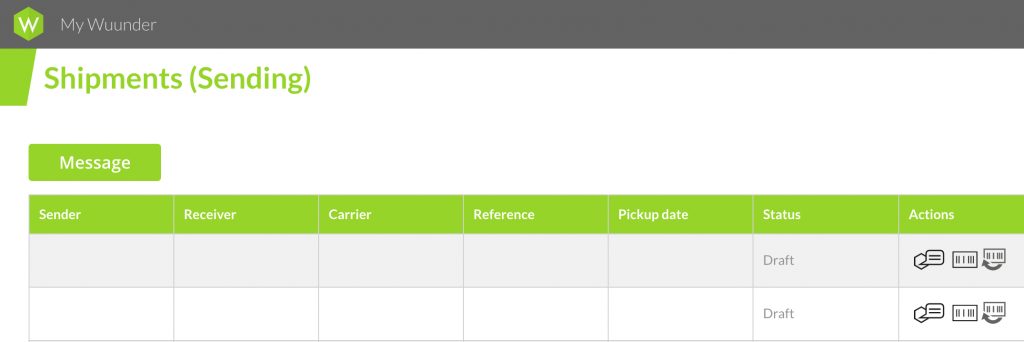
With the action icons you can easily return shipments, copy them to send another shipment to the same customer, or see transport details:
| Action | Icon | More information |
|---|---|---|
| Track & trace | Shipment number (green) | Click the shipment number (Carrier column) to go straight to the carrier's track & trace page (depending on the carrier). |
| Copy |  | This lets you send the shipment again. |
| Return |  | At the push of a button, you let the recipient return the shipment. Read more about the ways to return a shipment in Returns in a single click. |
SEARCHING FOR YOUR SHIPMENT
On the MyWuunder pages for sent shipments (Sending) and returns (Receiving), you can quickly find the right shipment by searching with “Search by filter”.
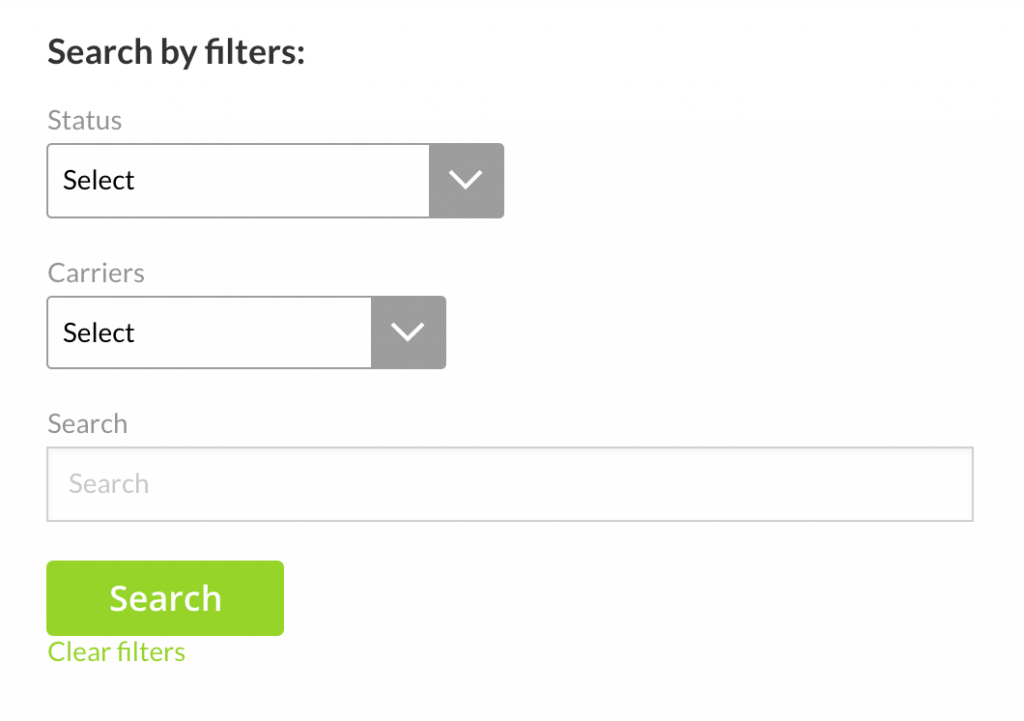
- Search by a status, such as “delivered” or “in-transit”.
- Use the “carriers” dropdown menu to show shipments per carrier.
- Or use a search term to look up shipments by, for example, order number, order content, or town or country of delivery.
Questions? Just get in touch at info@wuunder.com.
Was this article helpful?
That’s Great!
Thank you for your feedback
Sorry! We couldn't be helpful
Thank you for your feedback
Feedback sent
We appreciate your effort and will try to fix the article