Paazl Scan & Print is a Windows app that will run in your Java Runtime Environment without further installation. The app will not run on a Mac.
- Download the Paazl Scan & Print app.
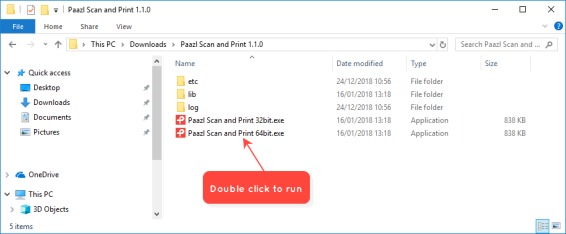
- Extract the zipped files.
- Ensure you have the right version of Java SE Runtime Environment 8 installed. Install the 32- or 64-bit version depending on which version of the app you want to run.
- Create a shortcut on your desktop.
- Double-click the shortcut to run Paazl Scan & Print.
Was this article helpful?
That’s Great!
Thank you for your feedback
Sorry! We couldn't be helpful
Thank you for your feedback
Feedback sent
We appreciate your effort and will try to fix the article