This article explains step by step how to use the Paazl Postal Code set functionality. The Postal code set functionality allows you to create postal code configurations per country, either by setting ranges manually, or uploading individual postal codes at once.
Where to find your Postal Code Sets
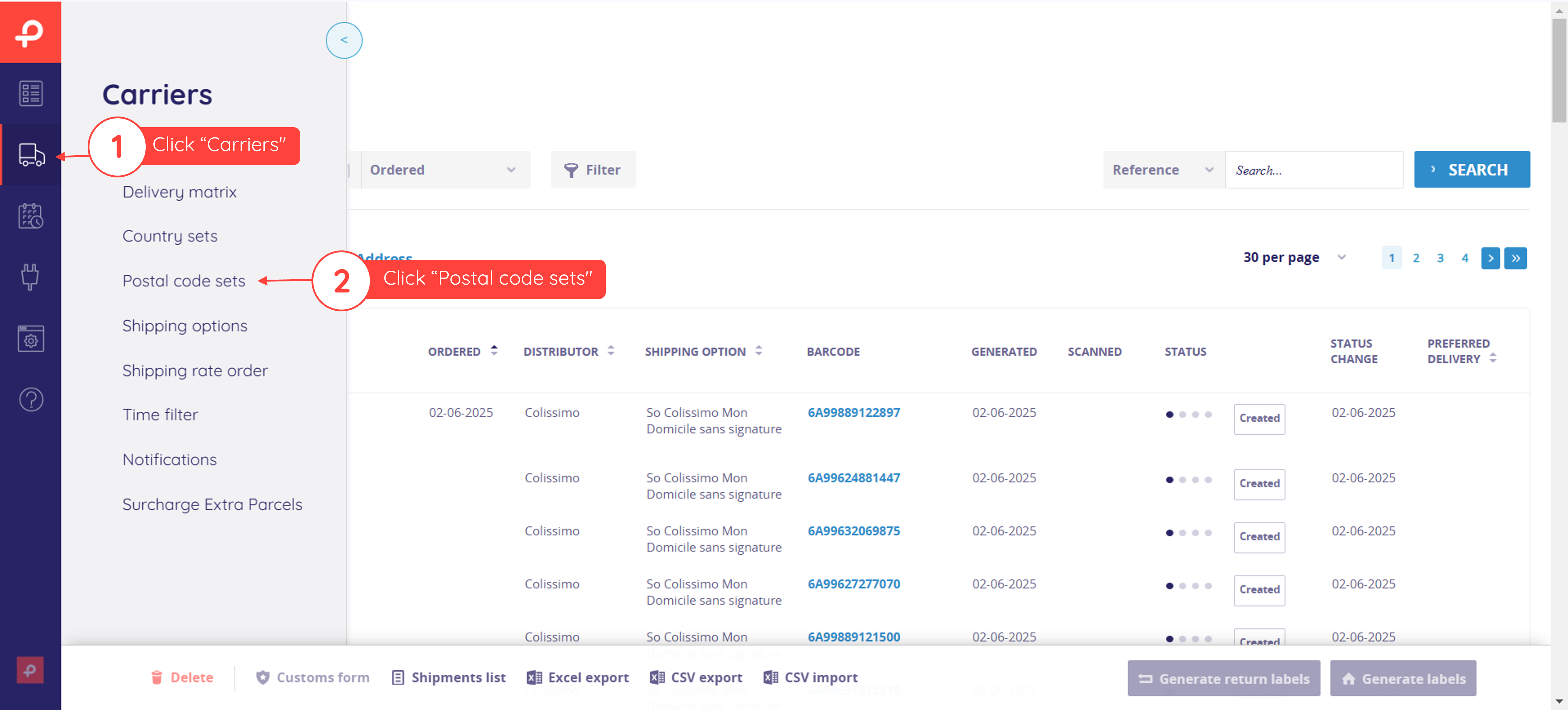
The Postal Code Set page
When you open the Postal Code Set page, you will see all available sets. If no sets have been created yet, the page will only show the button to create new postal code sets.
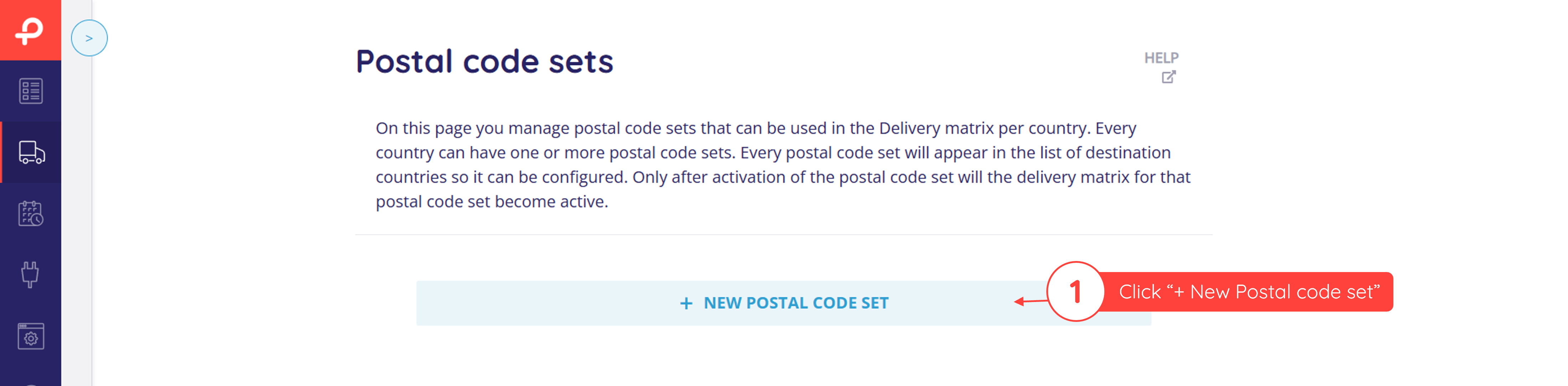
The next steps will show you step-by-step how to create your very first postal code set.
Note
Changing the country after a postal code has been linked can have unexpected effects. It is therefore important to select the correct country before adding postal codes.
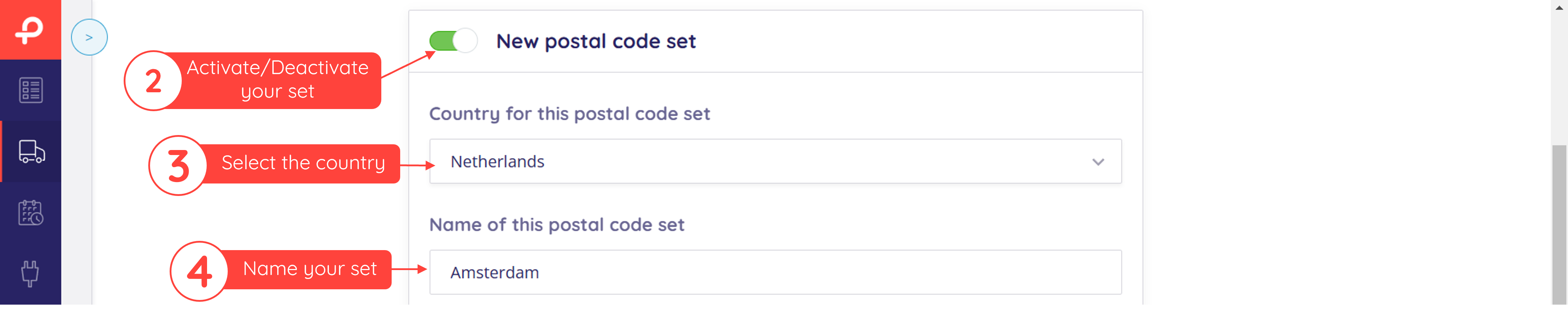
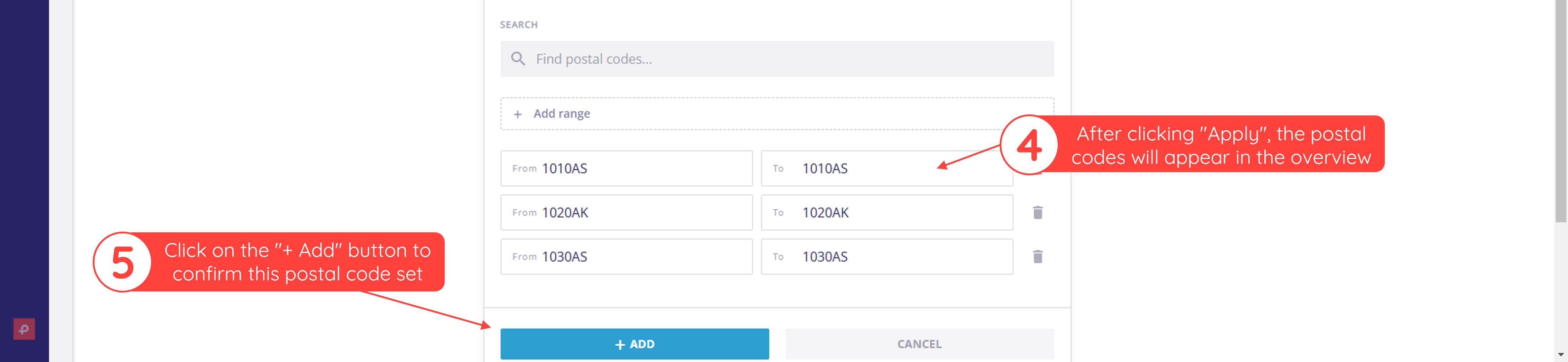
Add postal codes from an external file
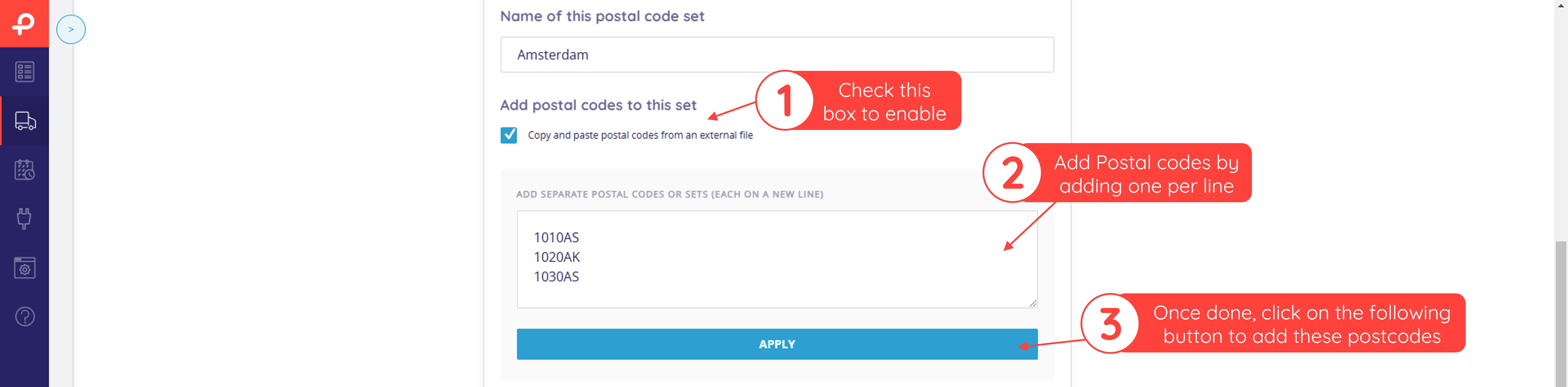
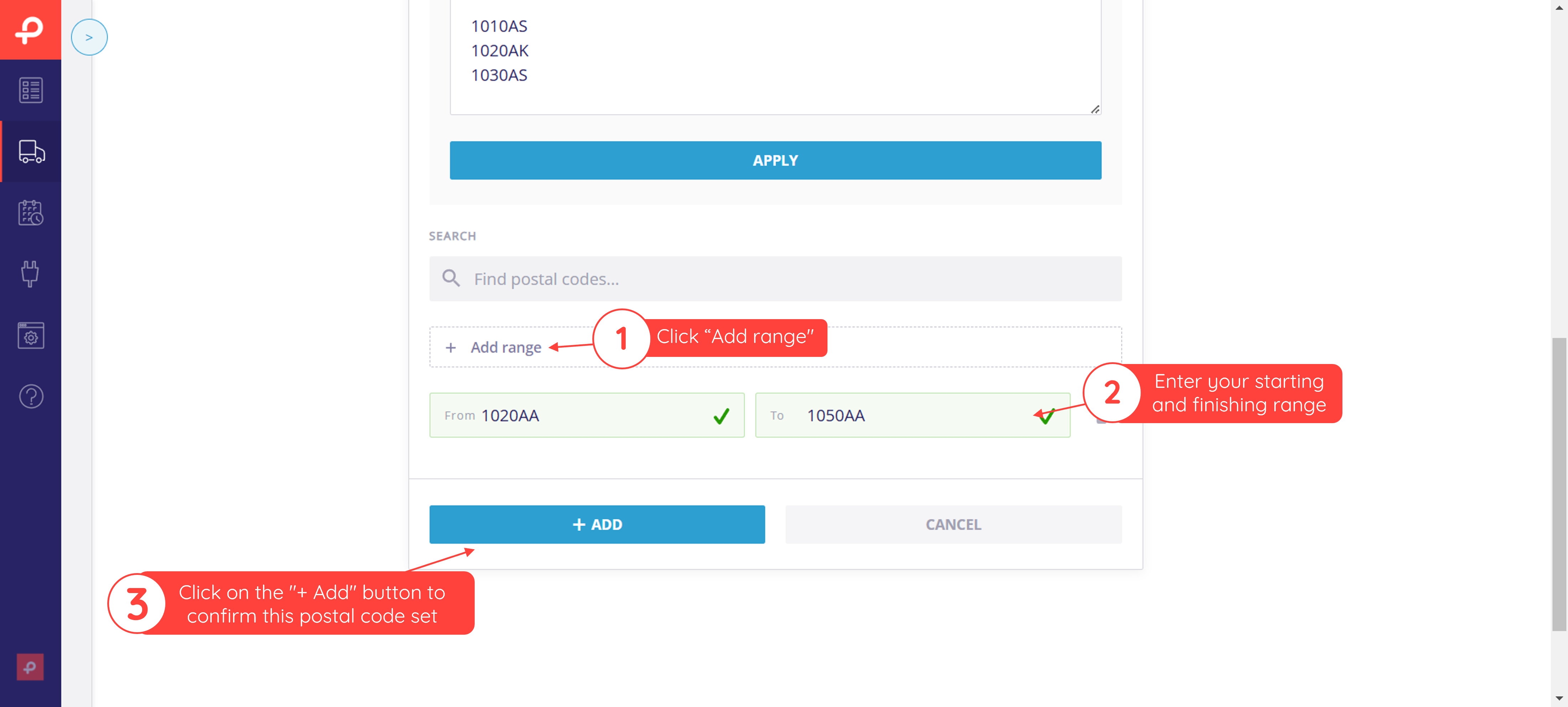
Add postal code ranges
Besides adding individual postal codes, you can also set ranges. The example below will affect any postal code between 1020 and 1050ZZ. For example, in this configuration, 1030 AS will be affected, 1055 ZZ will not be affected.
Was this article helpful?
That’s Great!
Thank you for your feedback
Sorry! We couldn't be helpful
Thank you for your feedback
Feedback sent
We appreciate your effort and will try to fix the article