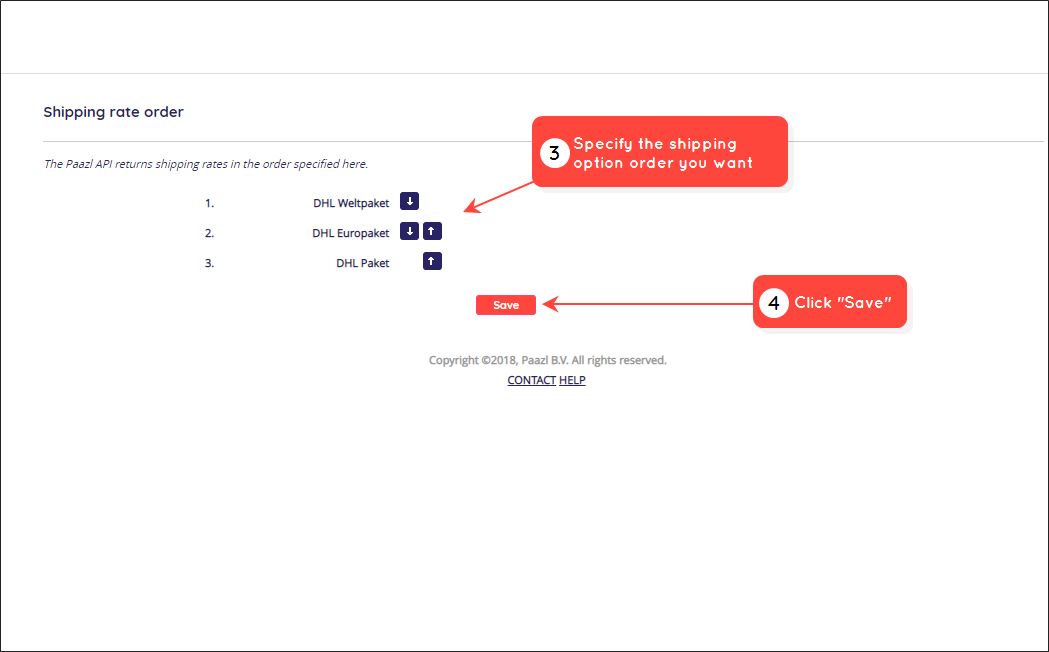
This article explains how to specify the order in which shipping rates are displayed for the associated shipping options returned by Paazl's SOAP API. Use this feature to ensure that certain shipping options are given priority over others.
Note
The order you specify only applies to shipping options with the same shipping option rate. The shipping option with the lowest rate will always be displayed or returned at the top of the list.
This setting does not affect the order in which shipping options are displayed by the Paazl Checkout widget or returned by Paazl's REST API.
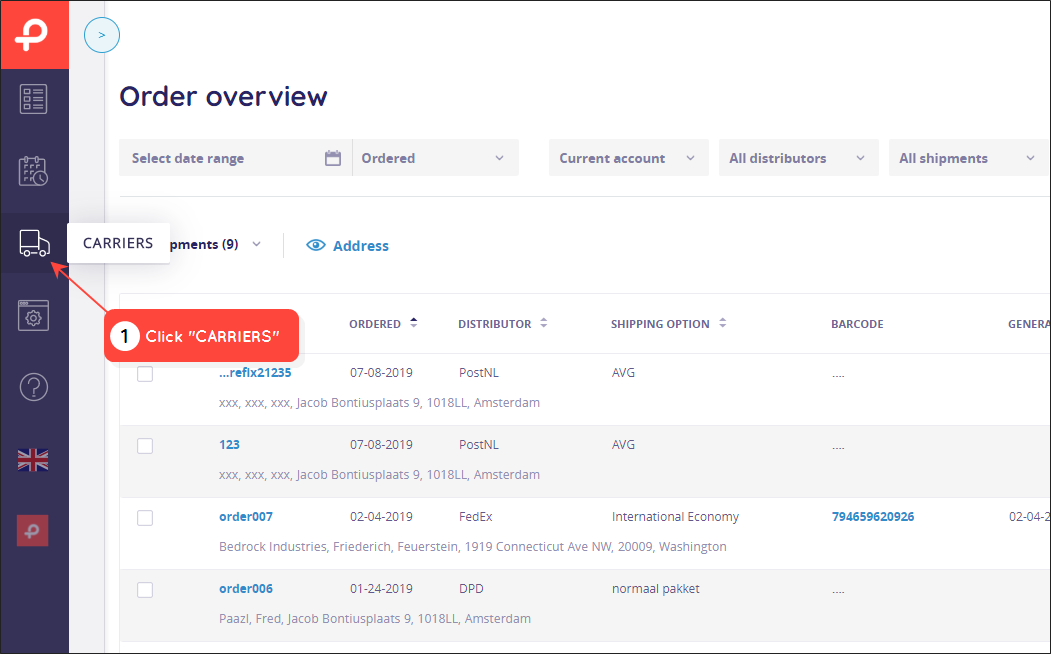
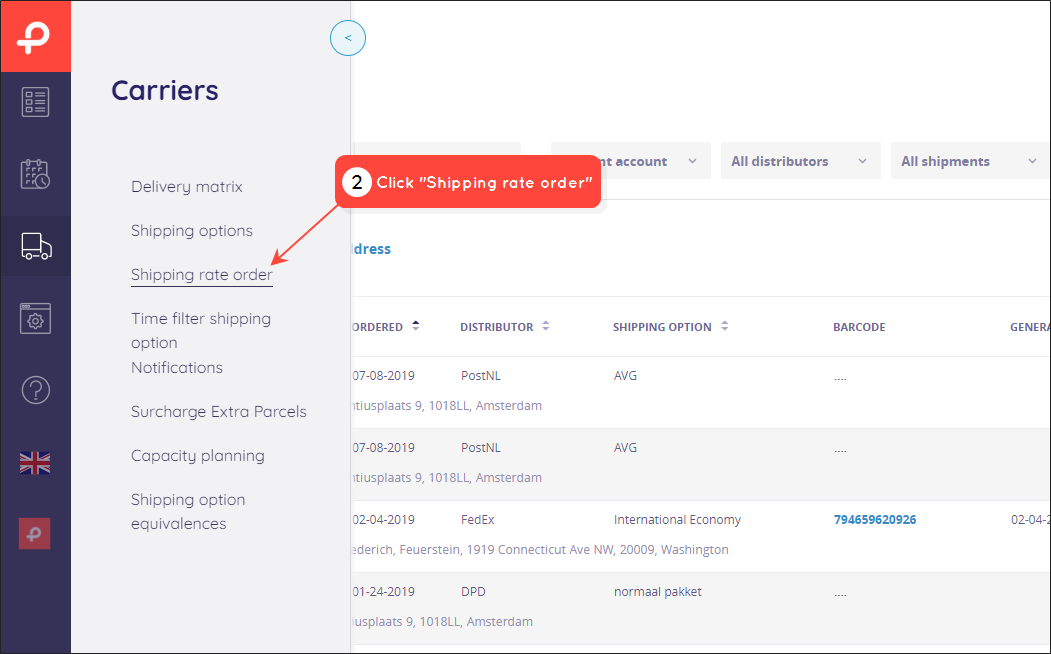
To configure the order in which shipping options are displayed, log in to your Paazl web app account and follow the steps below.
Was this article helpful?
That’s Great!
Thank you for your feedback
Sorry! We couldn't be helpful
Thank you for your feedback
Feedback sent
We appreciate your effort and will try to fix the article