With the following information you can easily connect Magento 2 and quickly get started sending and receiving your orders. At the push of a button, you can send and receive documents, parcels and pallets with the most suitable carrier.

MAGENTO 2 INTEGRATION
- Connect your webshop to Wuunder with an API connection
- Receive track and trace information in your webshop once the shipment has been booked
Connecting a Magento 2 webshop is super easy and takes two steps.
STEP 1: CREATE A MYWUUNDER ACCOUNT
Go to MyWuunder and create an account.
STEP 2: CREATE AN API TOKEN
To import orders from your webshop into MyWuunder, we need access to your webshop. Use the guide below to create the API token.
- Log in to the admin area of your Magento 2 webshop.
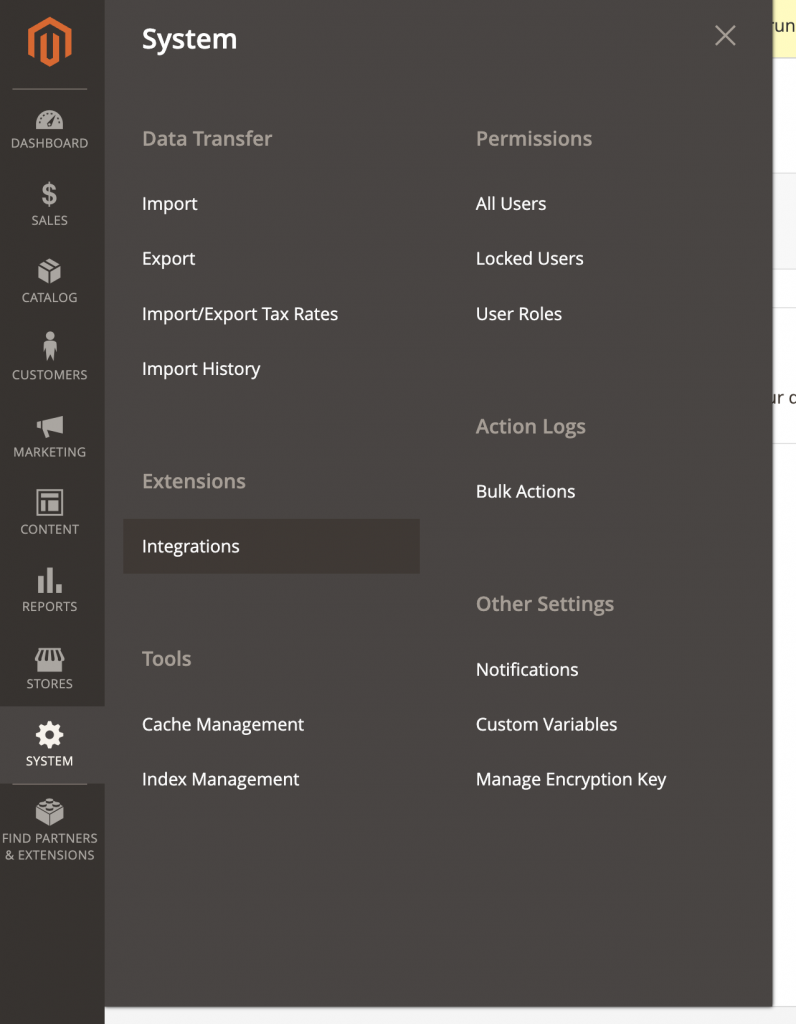
- Go to System > Integrations.
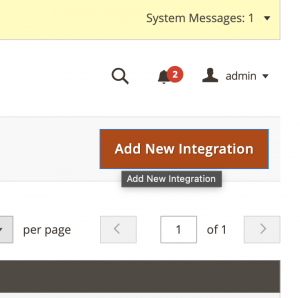
- Click the ‘Add New Integration’ button.
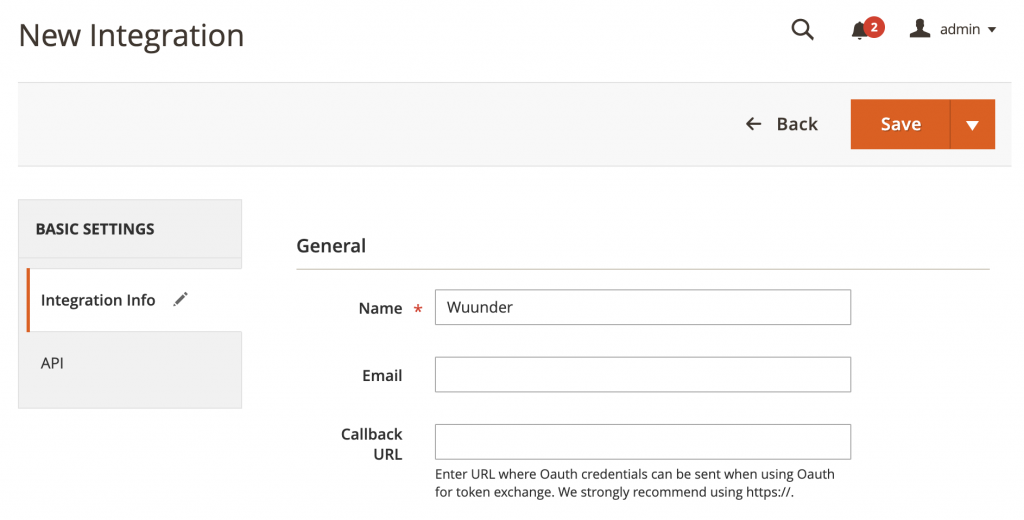
- In the screen that opens, enter the name: ‘Wuunder’.
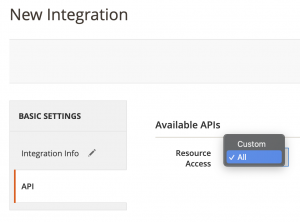
- Then click API and choose ‘All’ in the dropdown menu.
- Once the integration has been created, click ‘Activate’.
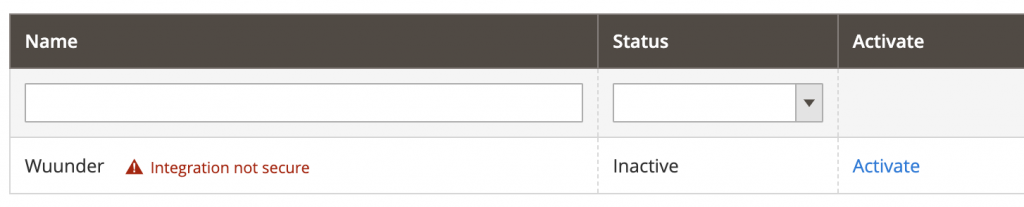
- Click ‘Allow’ in the next screen to create the token.
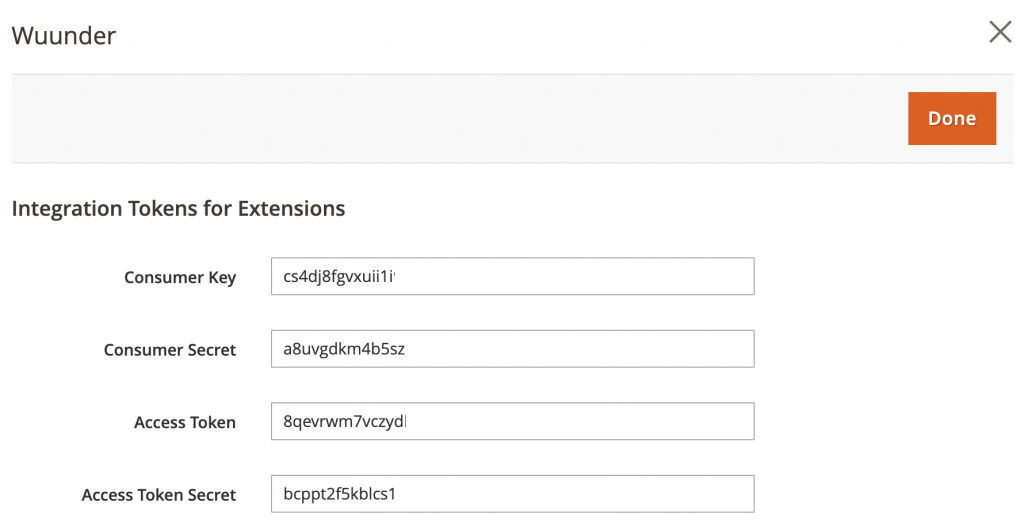
- Copy the ‘Access Token’ and send it to info@wuunder.com. Our customer service will then get to work activating your account.
Was this article helpful?
That’s Great!
Thank you for your feedback
Sorry! We couldn't be helpful
Thank you for your feedback
Feedback sent
We appreciate your effort and will try to fix the article