This article gives a bird's eye view of how Paazl's checkout widget works and the high-level steps required to integrate it.
What the widget does
Paazl's Checkout widget enables you to provide a wide variety of delivery options, letting your customers choose the delivery place and time that suits them. You can offer your customer delivery to their homes, to a carrier's pick-up locations, or to one of your own Click & Collect stores.
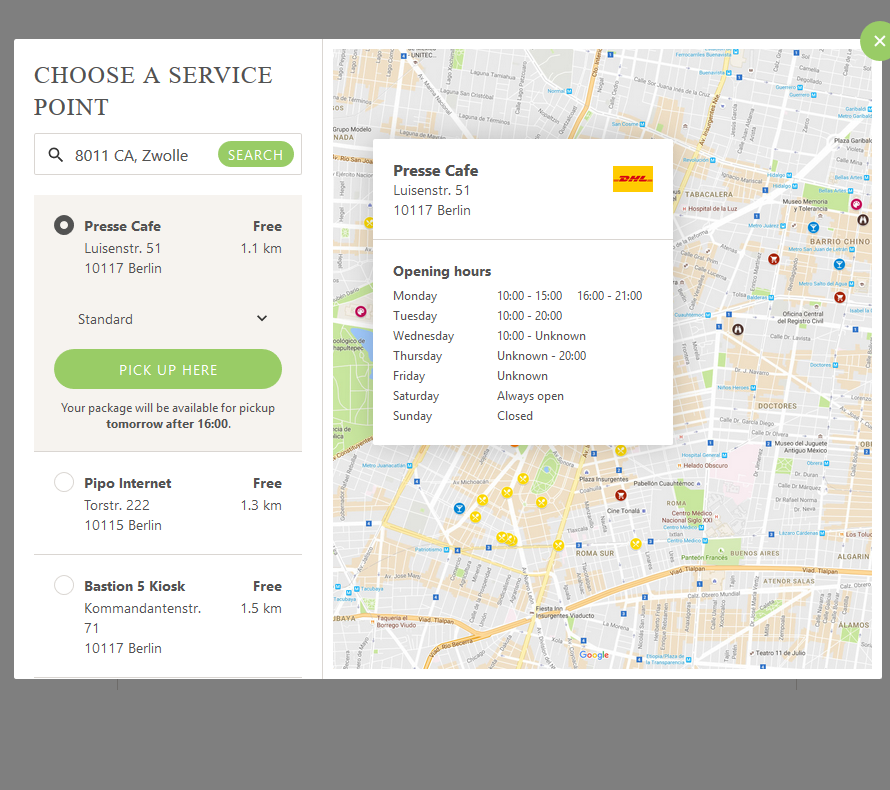
Stylish maps offer your customers an intuitive, easy-to-use choice of alternative pickup locations and Click & Collect stores.
The widget offers three tabs for displaying the various delivery options available:
- "Delivery" tab
- "Store" tab
- "Pickup" tab
The Delivery tab
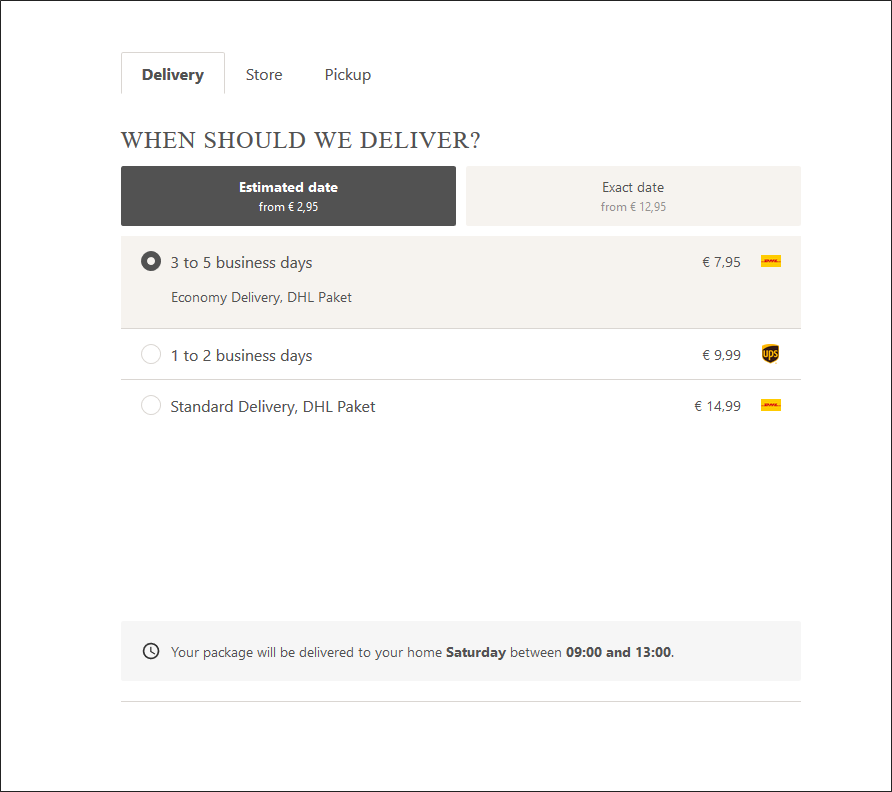
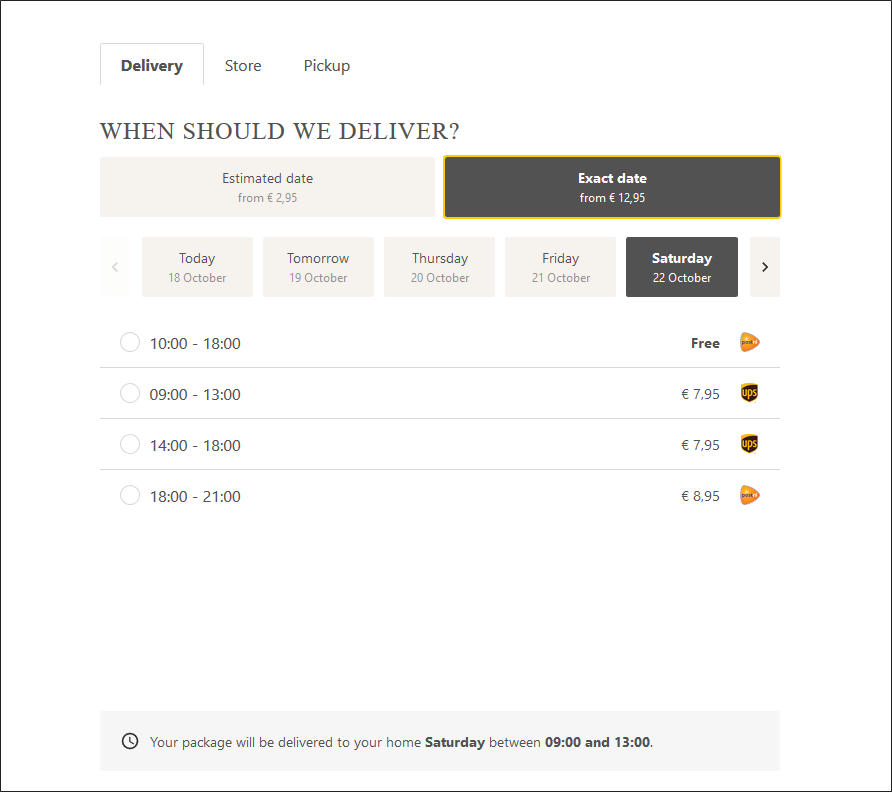
The "Delivery" tab displays shipping options for delivery to a home or business address.
- The "Estimated date" button displays delivery options that you have configured as having a delivery date range using the "Delivery days (min-max)" setting in your delivery matrix
- The "Exact date" button displays delivery options that have a delivery date supplied by a carrier, or that you have configured as having an exact delivery date using the "Delivery days" variable in your delivery matrix
The Store tab
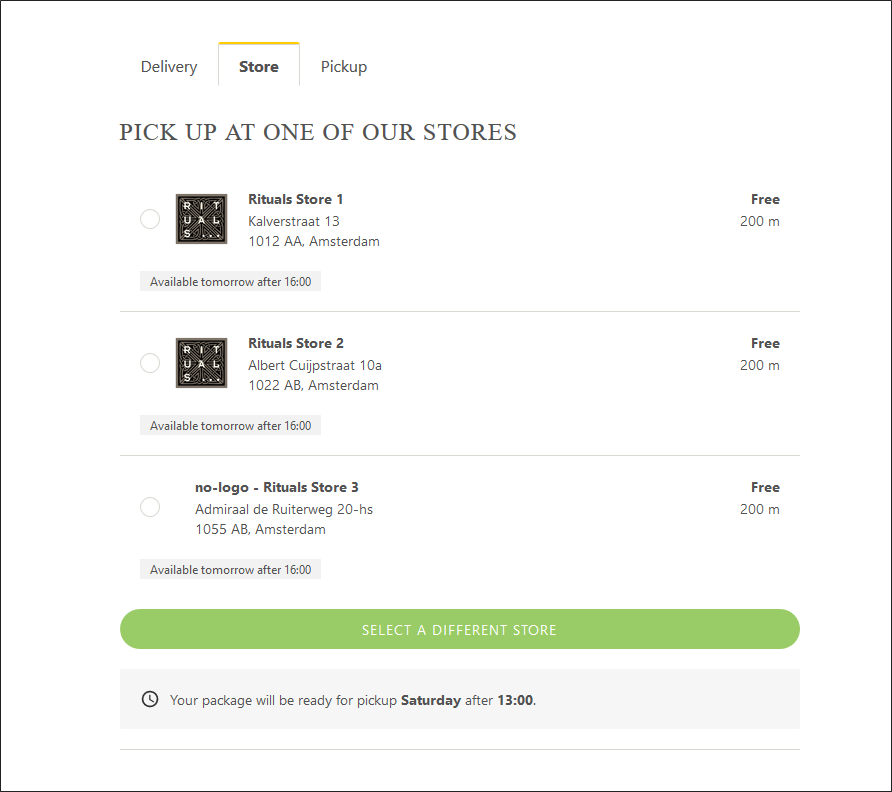
The "Store" tab displays shipping options for delivery to a webshop's Click & Collect stores. Customers can see when their package will be ready for pickup, as well as the distances to the options displayed.
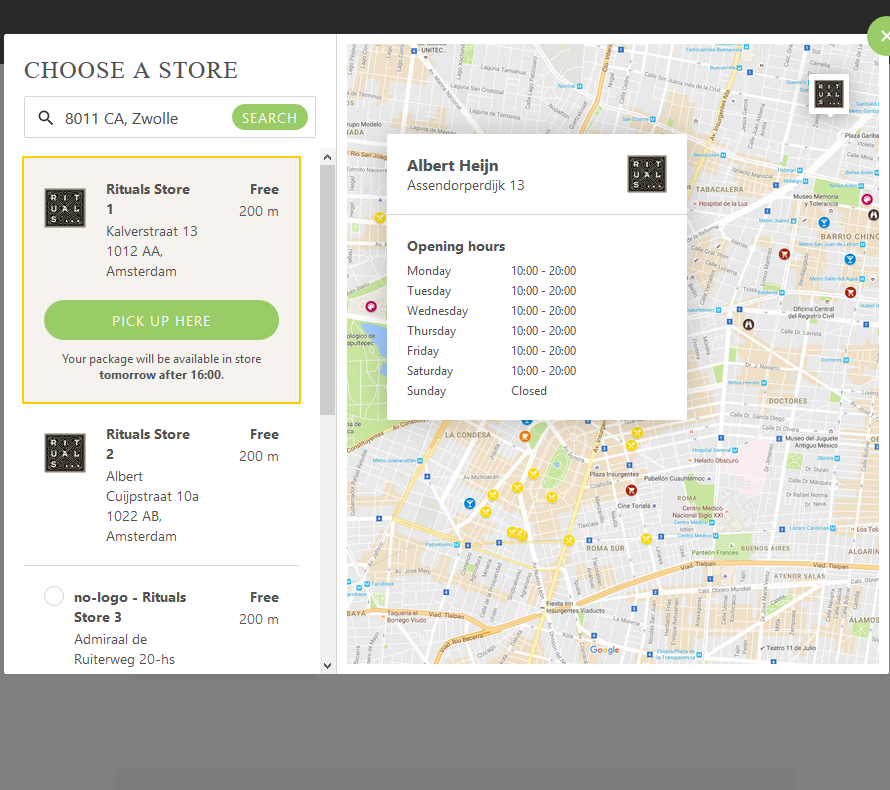
Clicking the "SELECT A DIFFERENT STORE" button will display a map showing the locations of stores you have configured in the Paazl web app.
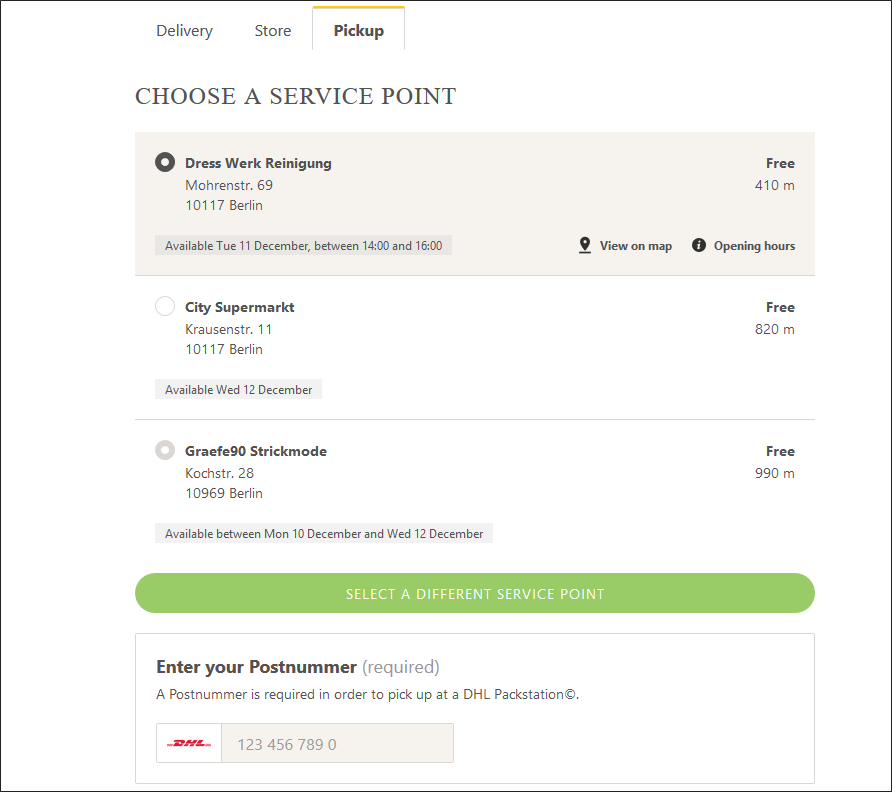
The Pickup tab
The "Pickup" tab displays shipping options for delivery to a carrier's pickup locations. Customers can see when their package will be ready for pickup, as well as the distances to the options displayed.
Note
For DHL shipping options that deliver to a DHL Packstation, this tab also displays a box for customers to fill in their DHL account number (a.k.a. "Postnummer").
How the widget works
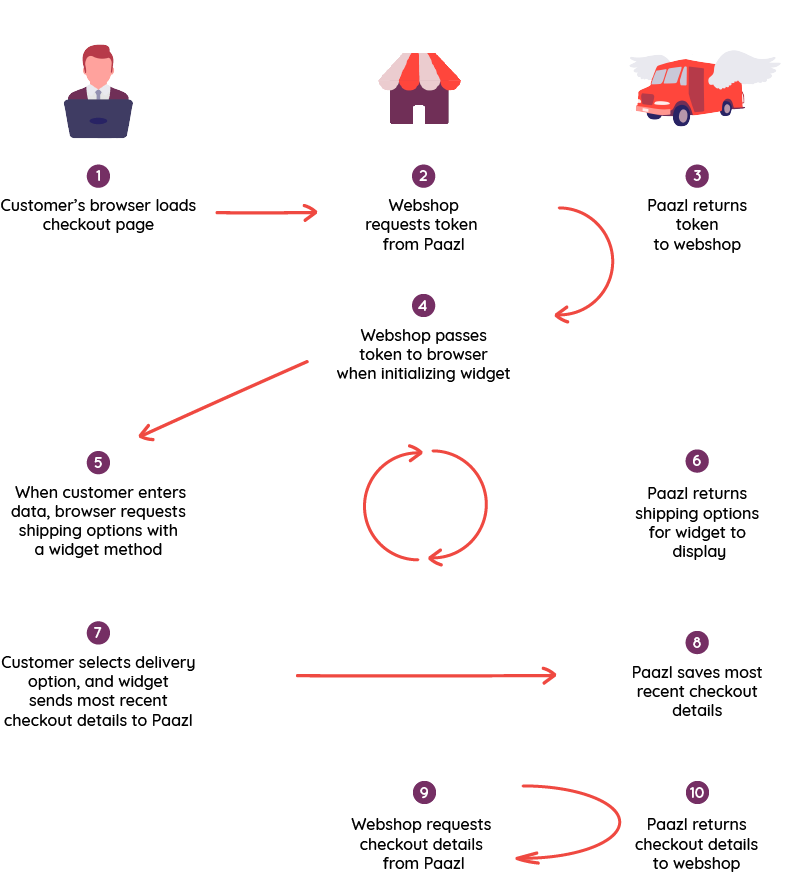
Authentication
Paazl requires an access token to secure the use of its REST API. See Authentication & Authorization for an explanation of how Paazl's three-legged OAuth 2.0 authentication works.
Prerequisites
Apart from a Paazl license, there are no prerequisites other than the ability of your webshop to send REST API web service requests, and to receive the resulting responses.
Note
You may want to whitelist the IP address of Paazl's authentication server. This is needed for the checkout/token endpoint.
The URL of the server is: https://api.paazl.com/v1/
Integration steps
Disclaimer
While we do not facilitate modification of the widget's code, such modification is allowed.
Although we allow modification, please be aware that if you modify the widget's code and it subsequently malfunctions, Paazl will only provide support on a best effort basis.
It is important to test a modified widget's behavior in multiple scenarios in order to make sure that it still provides an attractive display of shipping options without artifacts.
The schematic diagram below gives an overview of the steps you need to take in order to add the Paazl checkout widget to your checkout page.
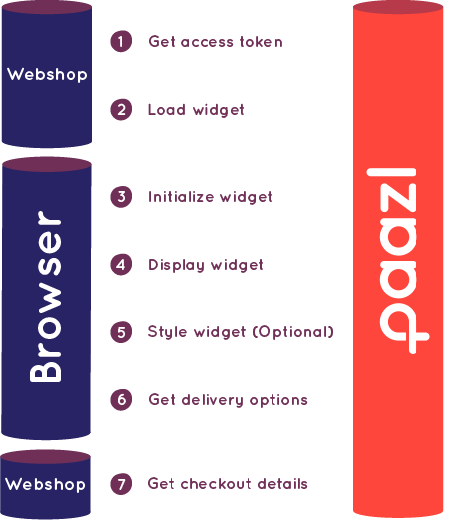
The above steps are explained in detail in Integrating the Paazl checkout widget step by step.
After an order has been confirmed
Use the POST method of Paazl's order endpoint to save an order's details to Paazl's database after a customer has confirmed an order by paying for it. This will enable you to print the order's shipping label(s), and to send track & trace notifications to your customer once it has been shipped.
You can change the order's details at any time—perhaps when more information becomes available from the carrier concerned—using the PUT order method.
See Paazl REST API reference for more information on these methods.
Was this article helpful?
That’s Great!
Thank you for your feedback
Sorry! We couldn't be helpful
Thank you for your feedback
Feedback sent
We appreciate your effort and will try to fix the article