This article provides a hands-on example of how to configure a set of delivery matrices for different countries and postal code sets. See About delivery matrices for an explanation of how delivery matrices work.
In this example, our point of departure will be a German webshop selling furniture. The webshop has customers in Germany and the Netherlands. The webshop sells everything from very large settees to small table lamps. It takes 7 days to have a settee ready for pickup in the webshop's warehouse, and it will be in transit for 5 days. Customers living in the same postal code area as the warehouse get free delivery.
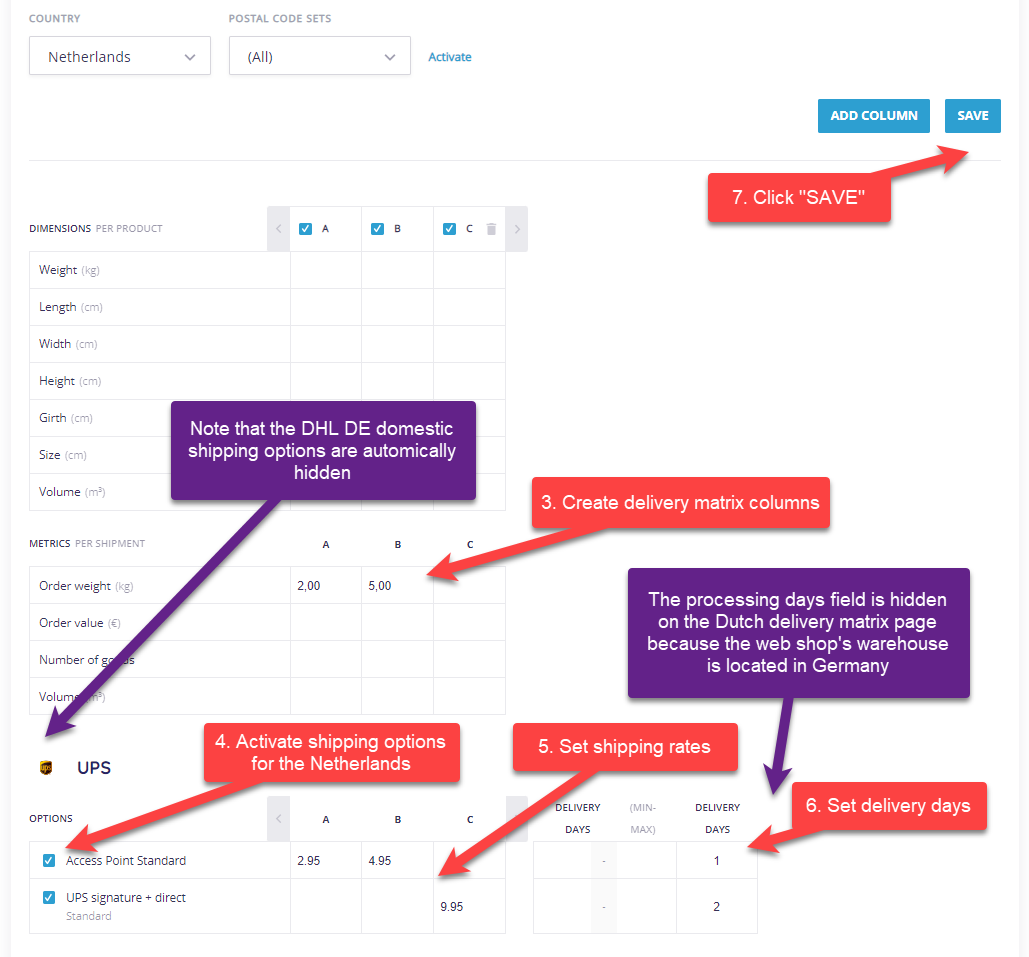
The webshop has contracts with 2 carriers: DHL Deutschland for domestic deliveries and UPS for deliveries to the Netherlands. These contracts have been entered into the webshop's Paazl account by Paazl Customer Support. The two shipping options for Germany have been named: "Paket" and "Paket Großartikel". The two shipping options for the Netherlands have been left with their default UPS names "UPS signature + direct" and "Access Point Standard", where the "Access Point Standard" will also be used for Germany as an alternative carrier.
We're going to set up the delivery matrices for this webshop by logging into our webshop's web app account and following the steps below.
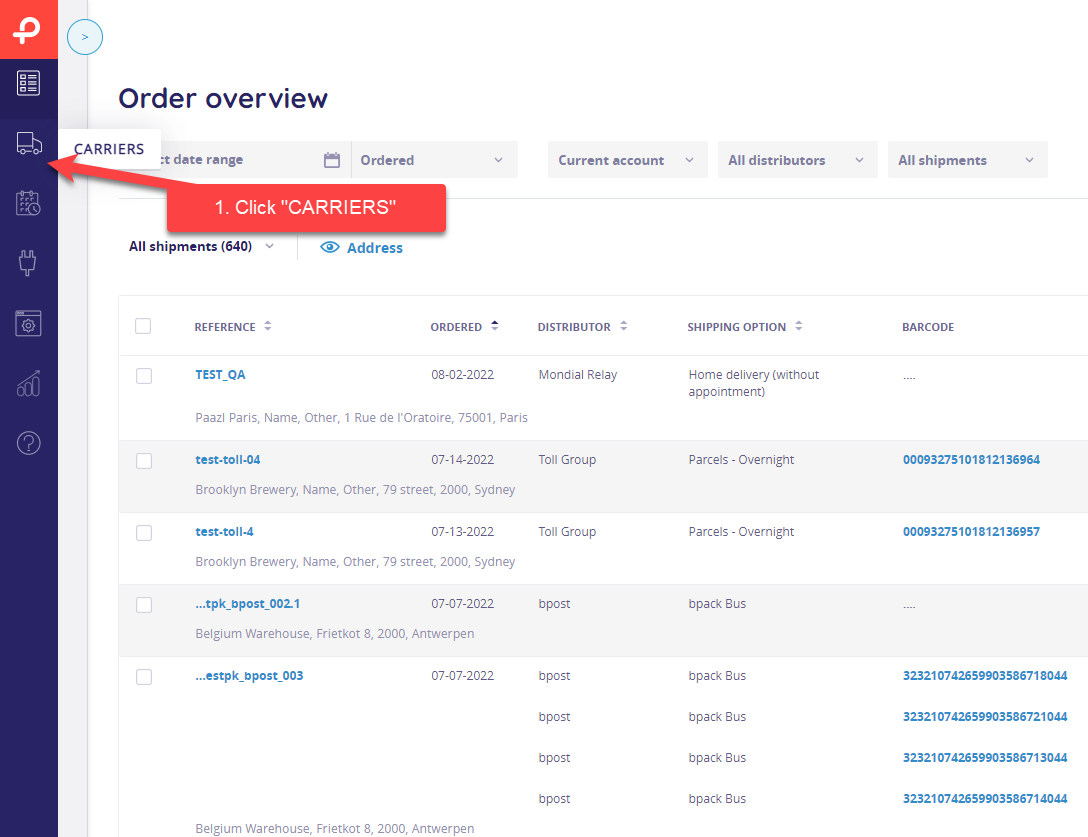
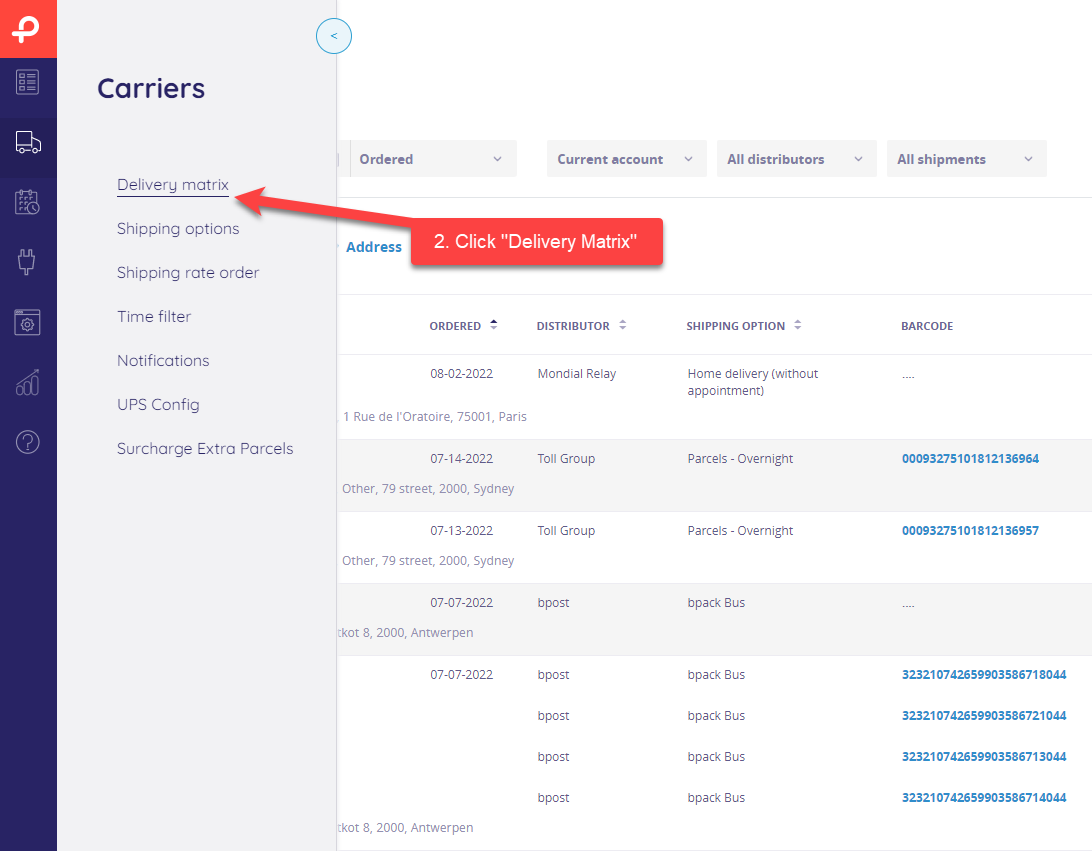
Delivery matrices for domestic shipments
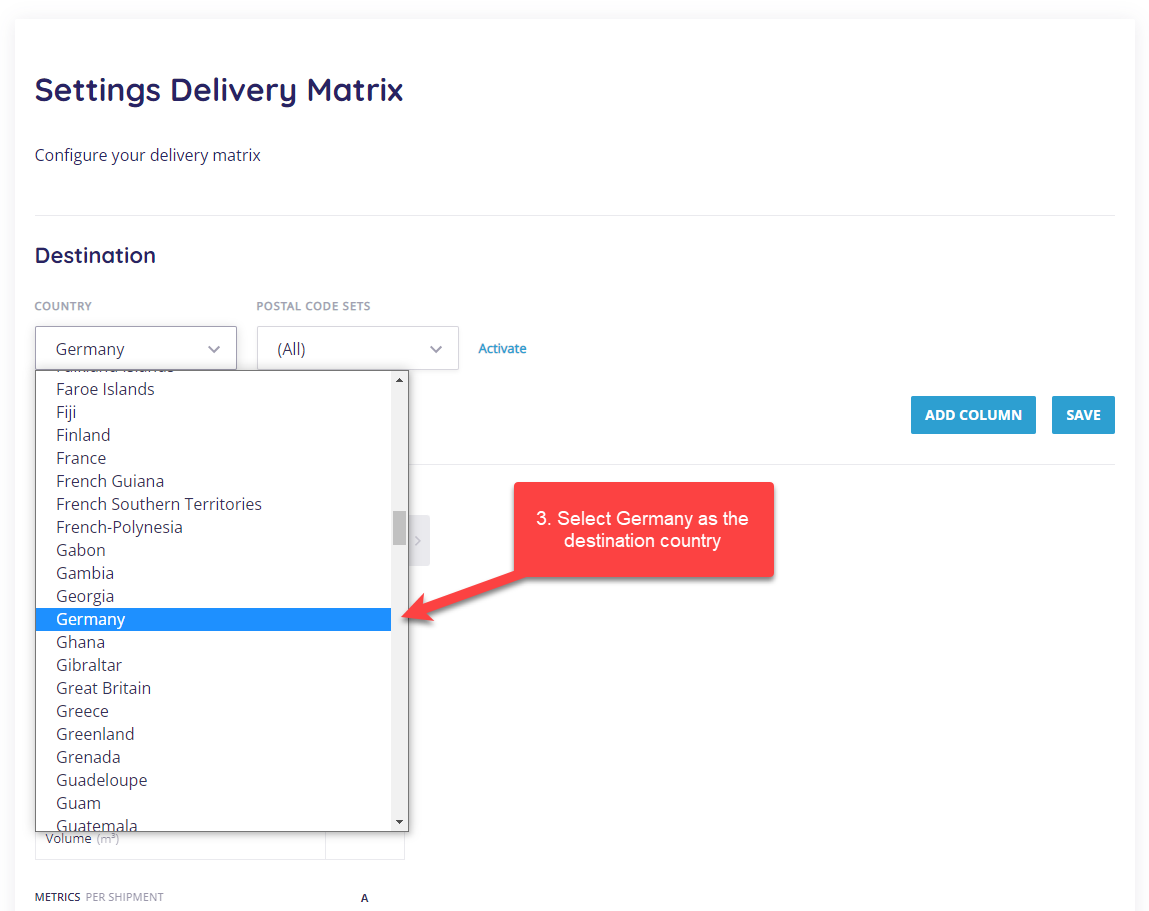
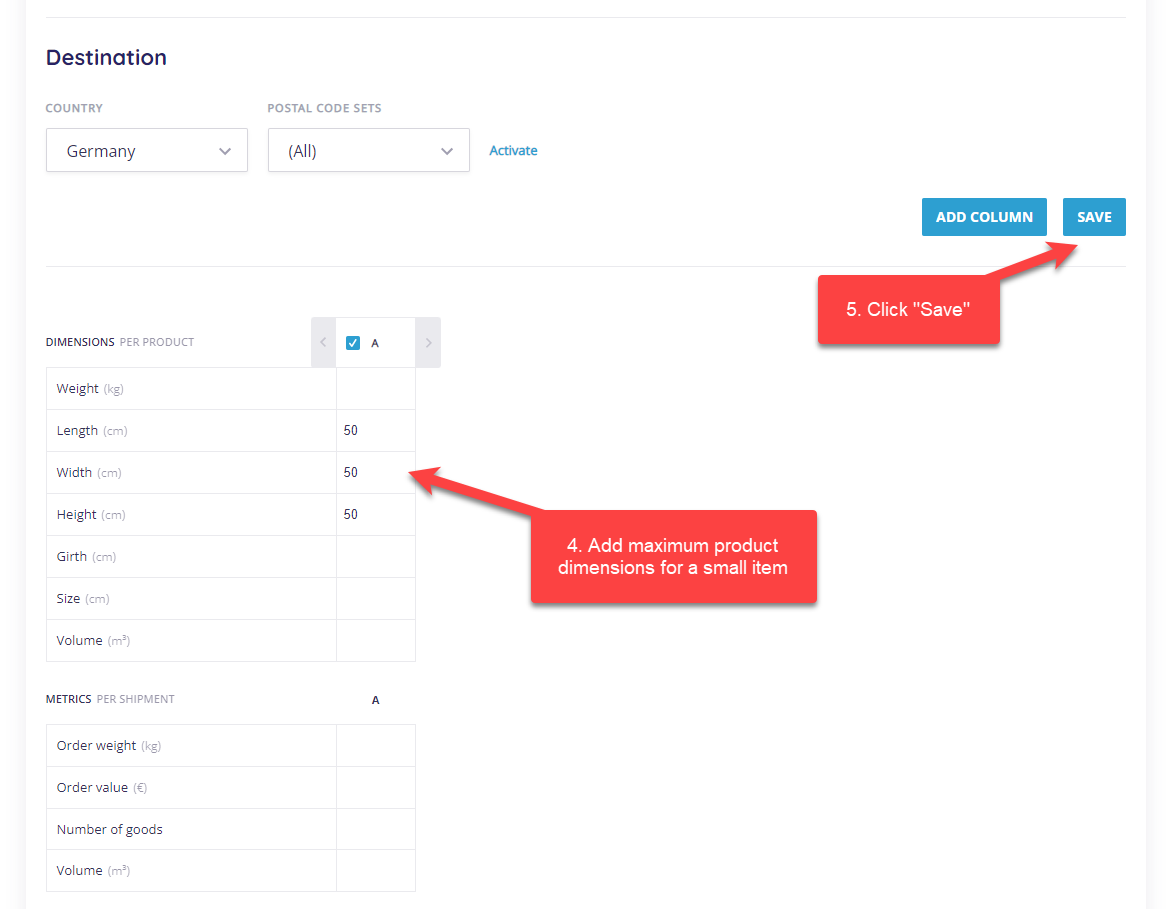
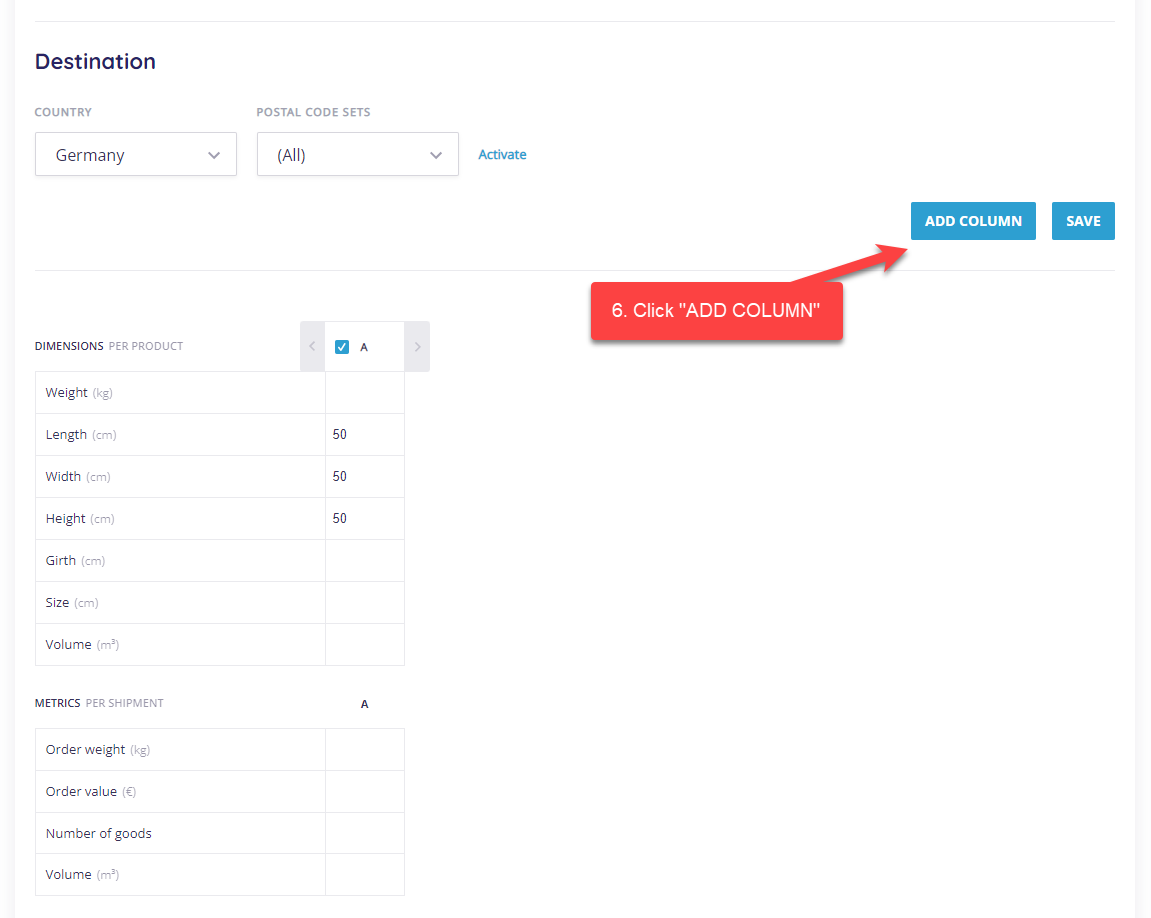
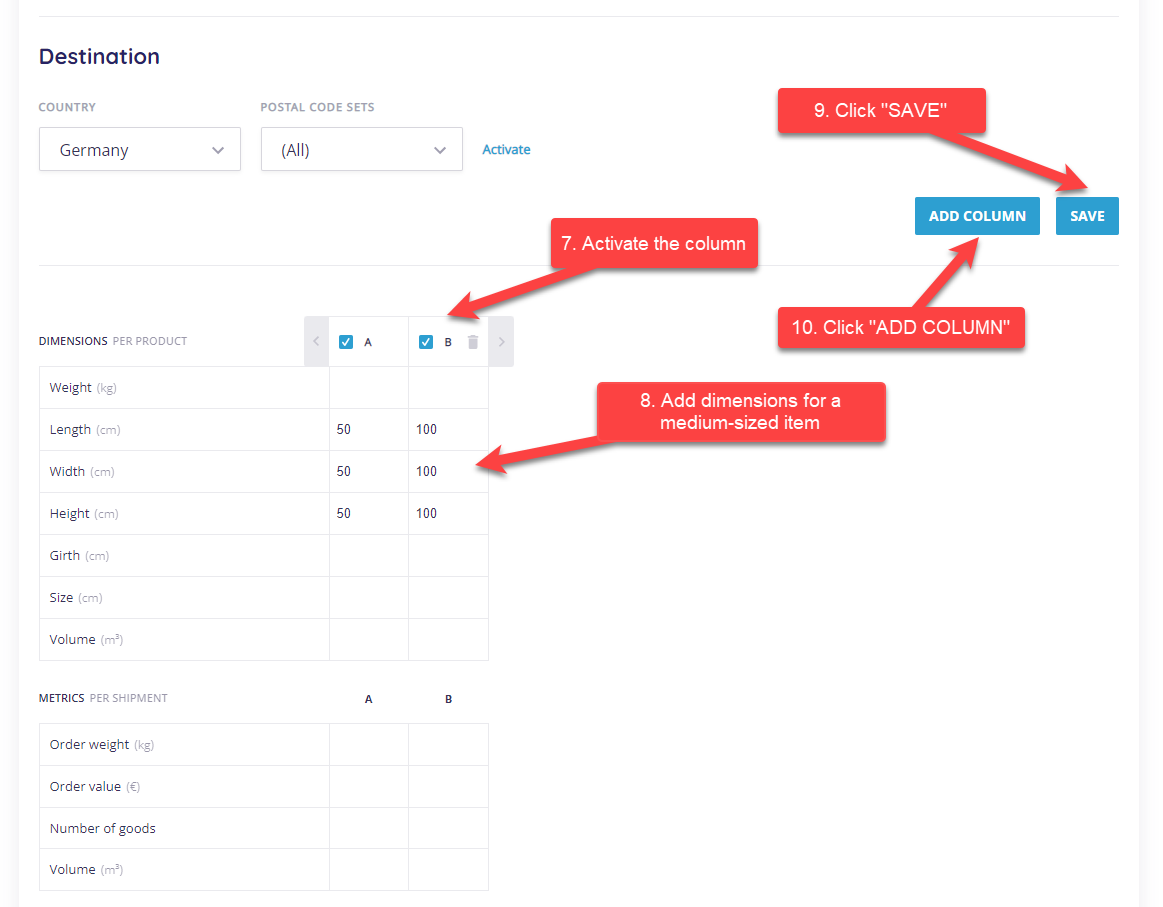
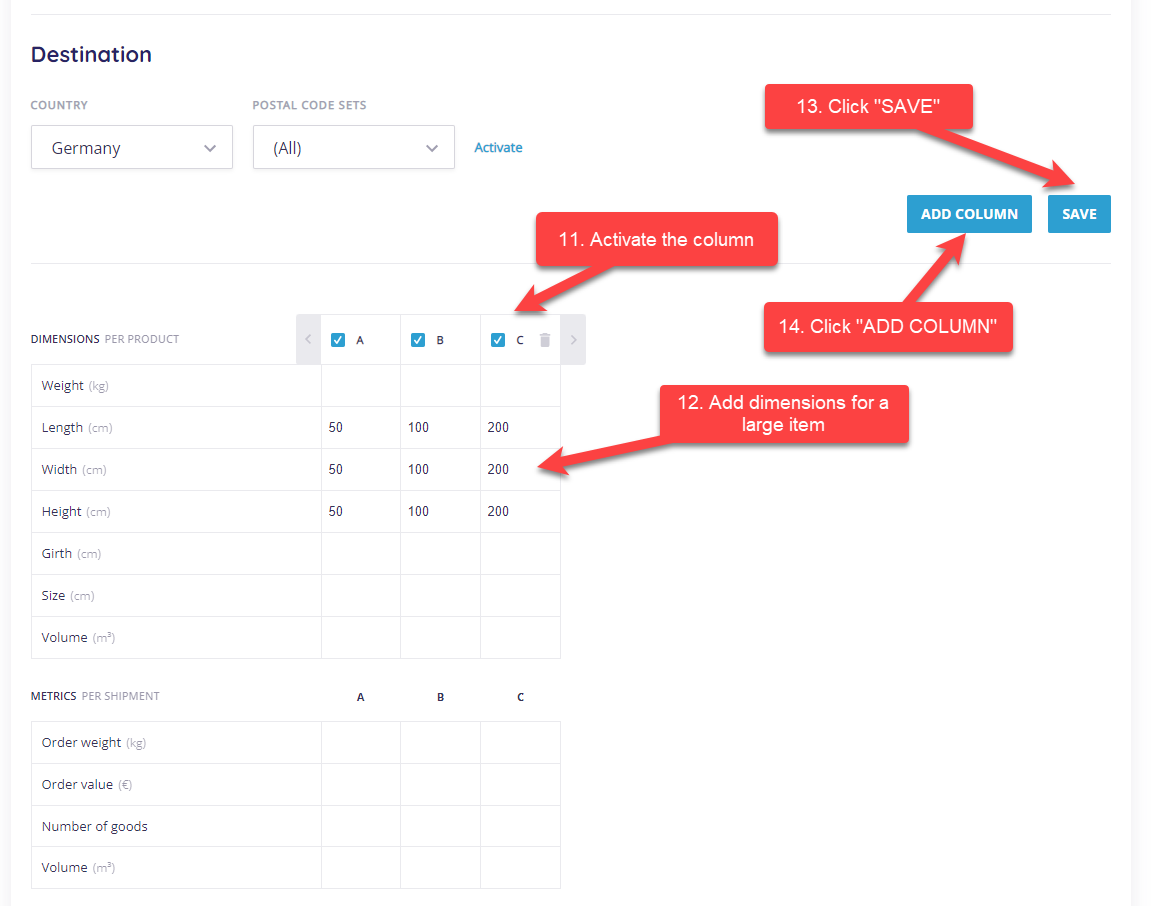
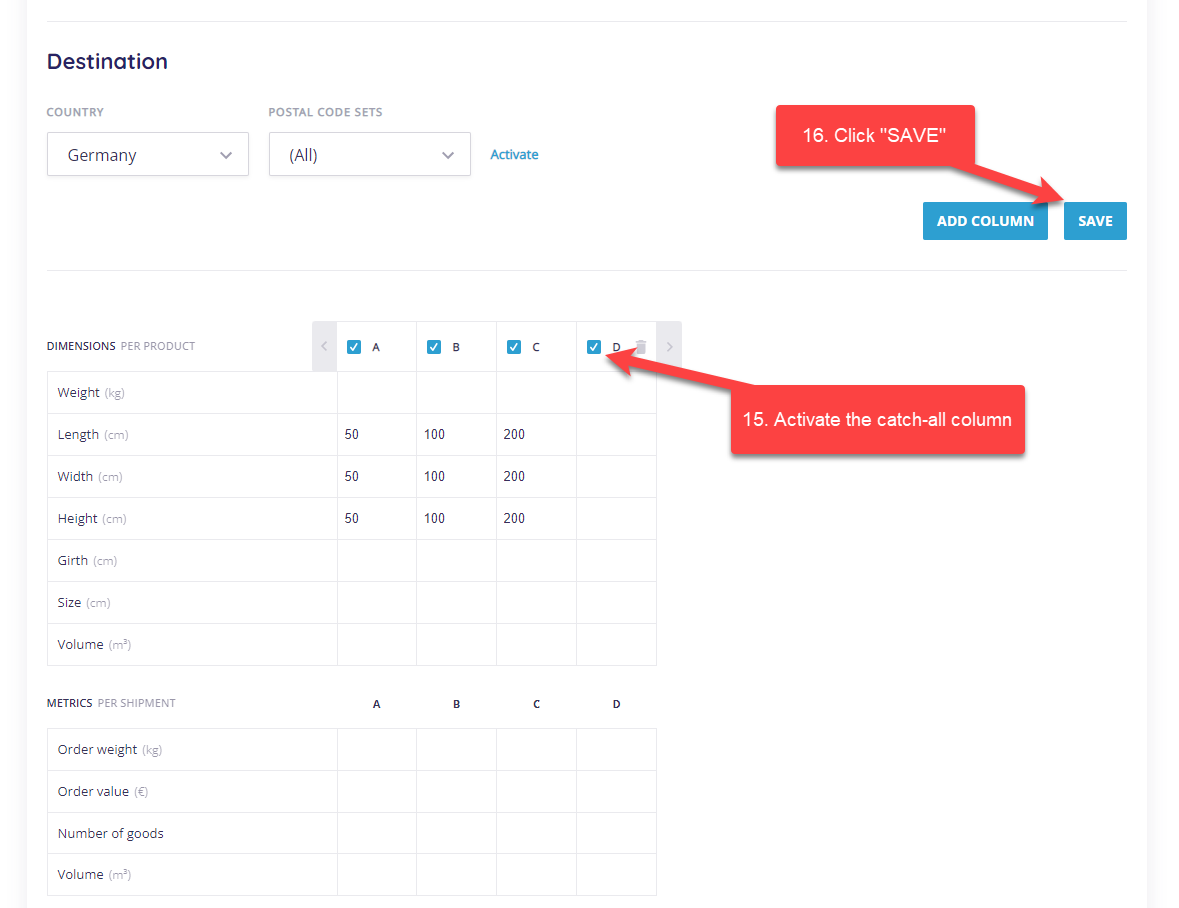
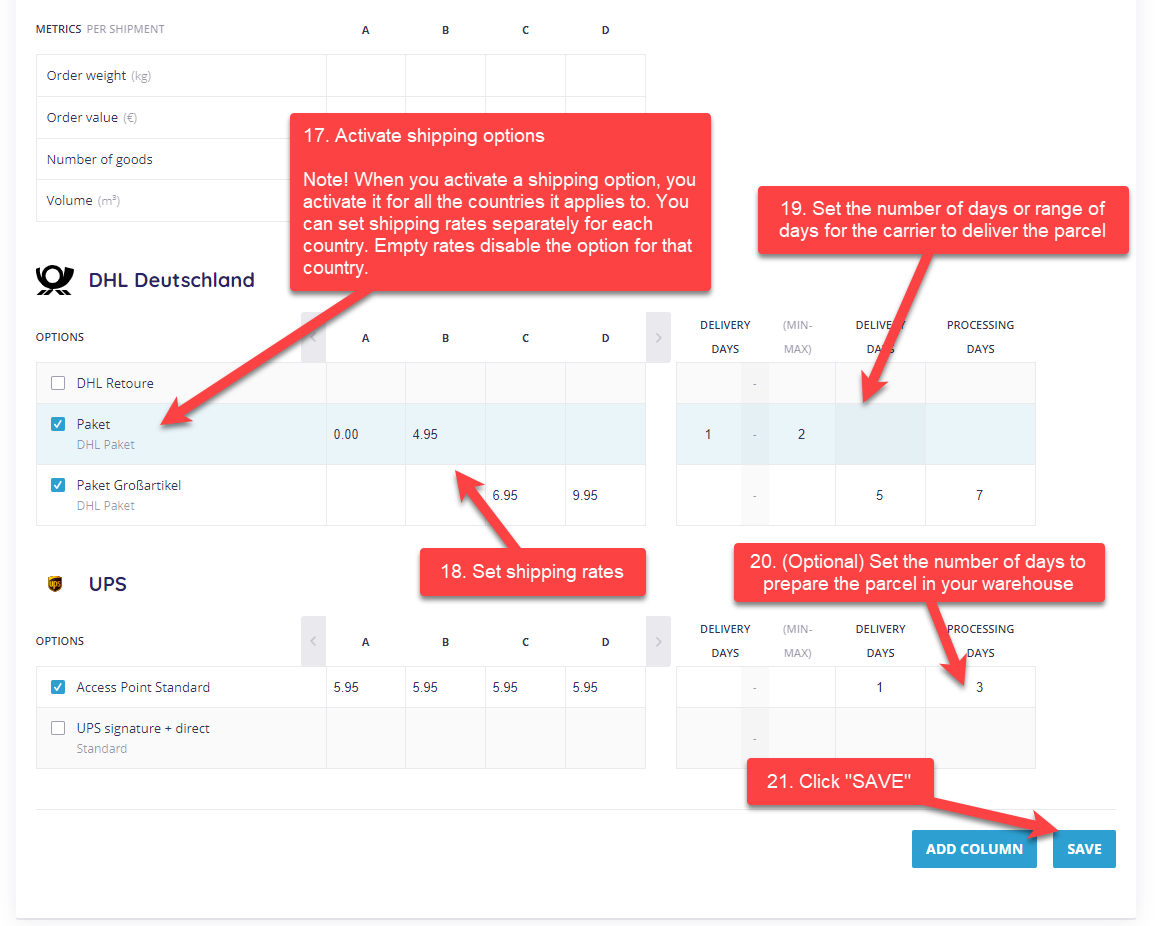
Delivery matrices for a postal code range
This will soon be replaced by a new postal code set page. Until then, you can see how to configure a postal code range in the old UX here.
Delivery matrices for shipments abroad
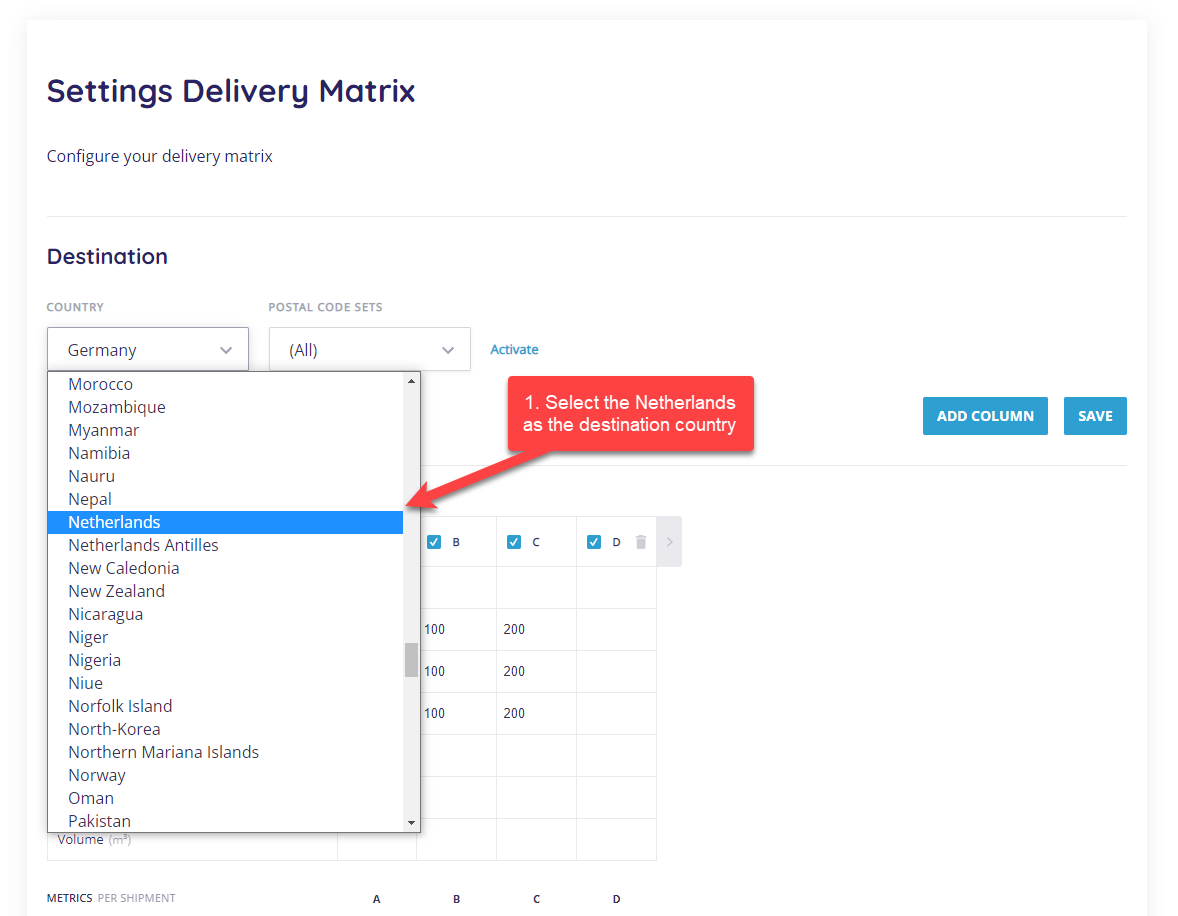
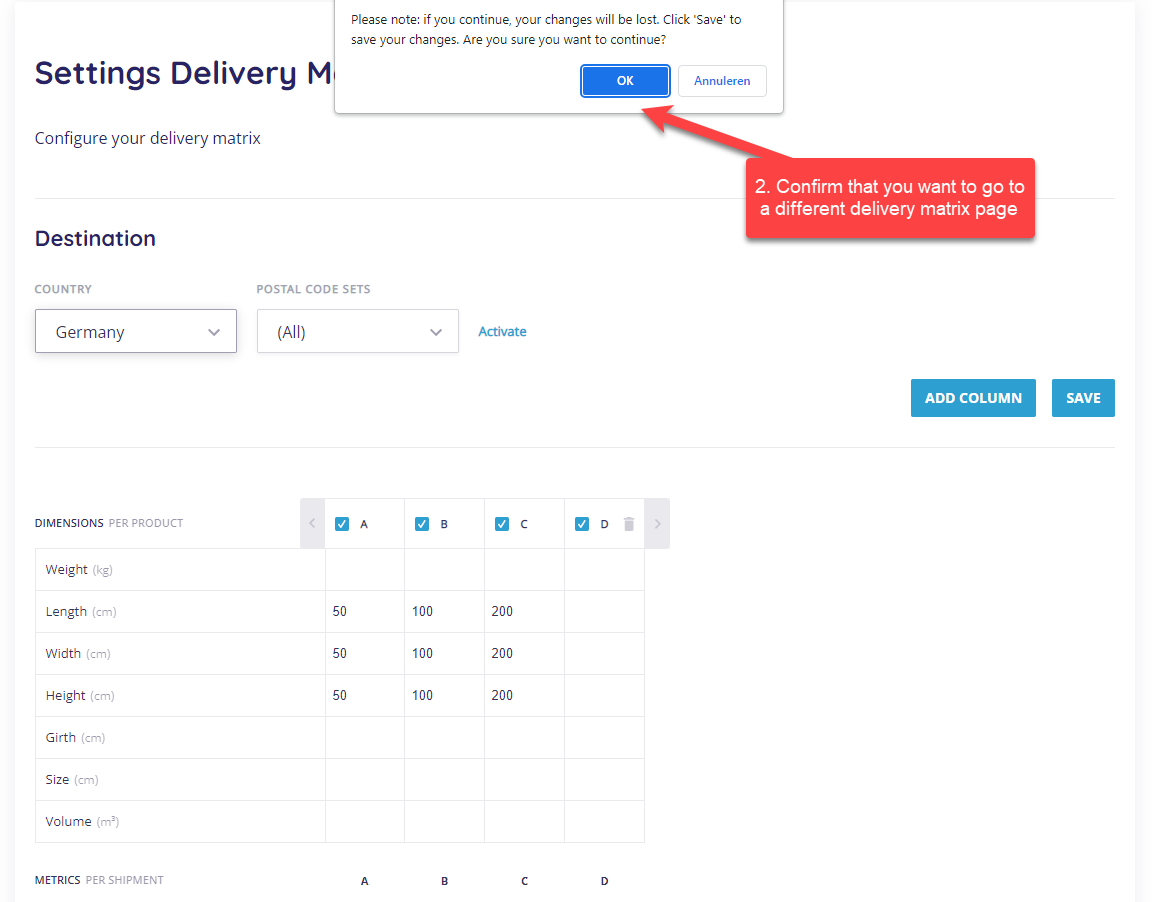
This is very similar to configuring matrices for domestic shipment, with a couple of exceptions.
Was this article helpful?
That’s Great!
Thank you for your feedback
Sorry! We couldn't be helpful
Thank you for your feedback
Feedback sent
We appreciate your effort and will try to fix the article