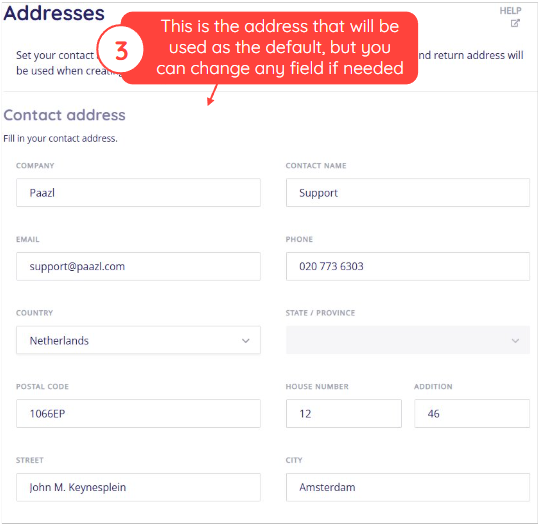
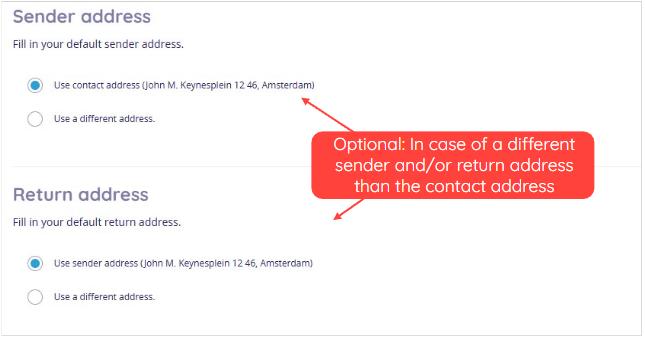
This article explains how to set your contact address, as well as your sender and return addresses. The sender and return address will be used when creating new shipments.
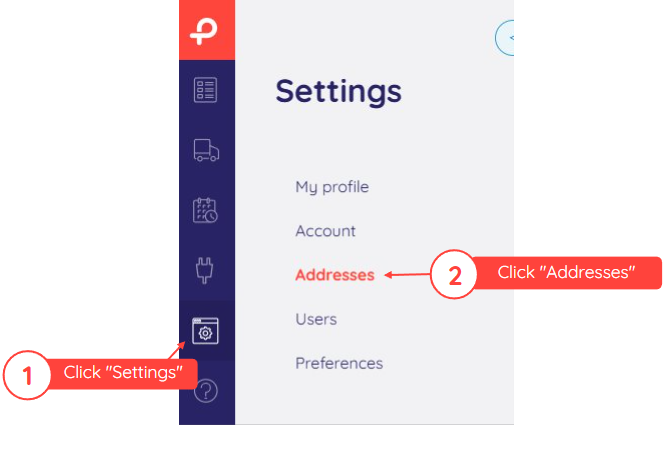
To configure your address book, log in to your Paazl web app account and follow the steps below.
Note
These are default addresses, which can be overridden via the "POST order" and "PUT order" API calls.
Was this article helpful?
That’s Great!
Thank you for your feedback
Sorry! We couldn't be helpful
Thank you for your feedback
Feedback sent
We appreciate your effort and will try to fix the article