
The plugin serves two purposes:
- Map the WooCommerce shipping rates to the appropriate Wuunder shipping service
- Enable the Wuunder Parcelshop Locator in the checkout
SETUP
- Download and install the plugin from the WordPress plugin repository, or install the plugin directly from the zip file. Activate the plugin and deactivate any other installed Wuunder plugins.
- Navigate to WooCommerce > Settings > Wuunder > Settings
- In the Settings tab: enter your MyWuunder API Key and save.
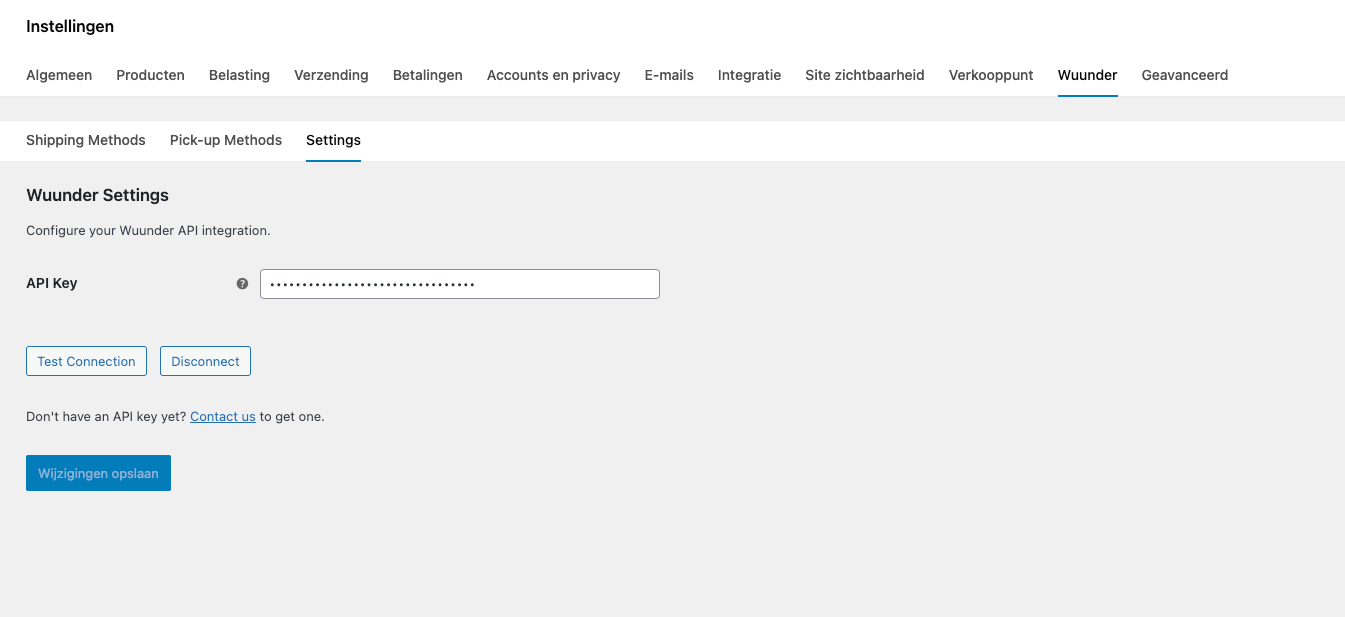
- If a valid API key has been provided, all of the customer's available services should be loaded in the Shipping Methods and Pick-up Methods (Parcelshop) tabs. If the services are not automatically loaded or need to be updated, press the "Refresh Carriers" button. The lists are filterable by carrier.
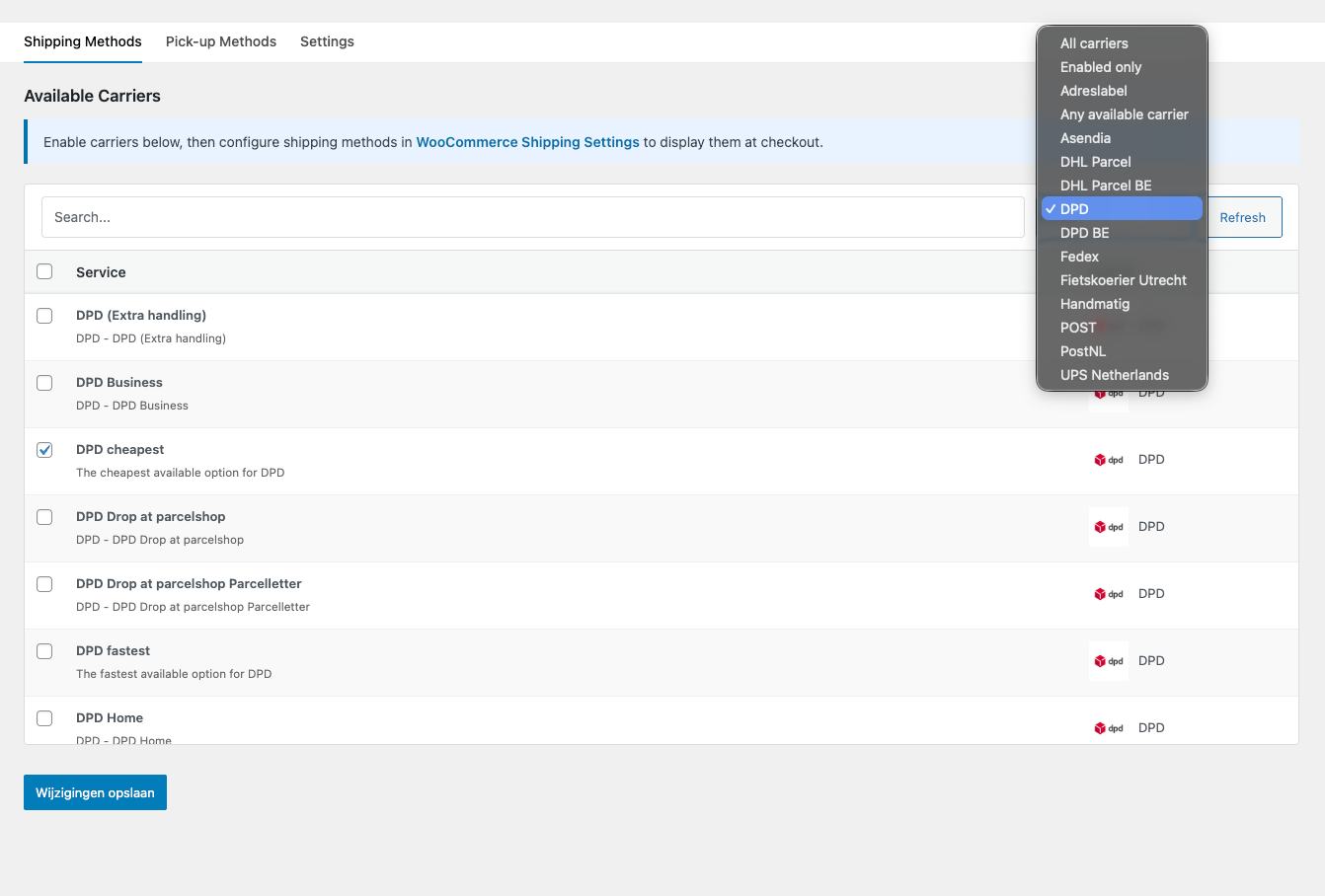
SHIPPING METHODS
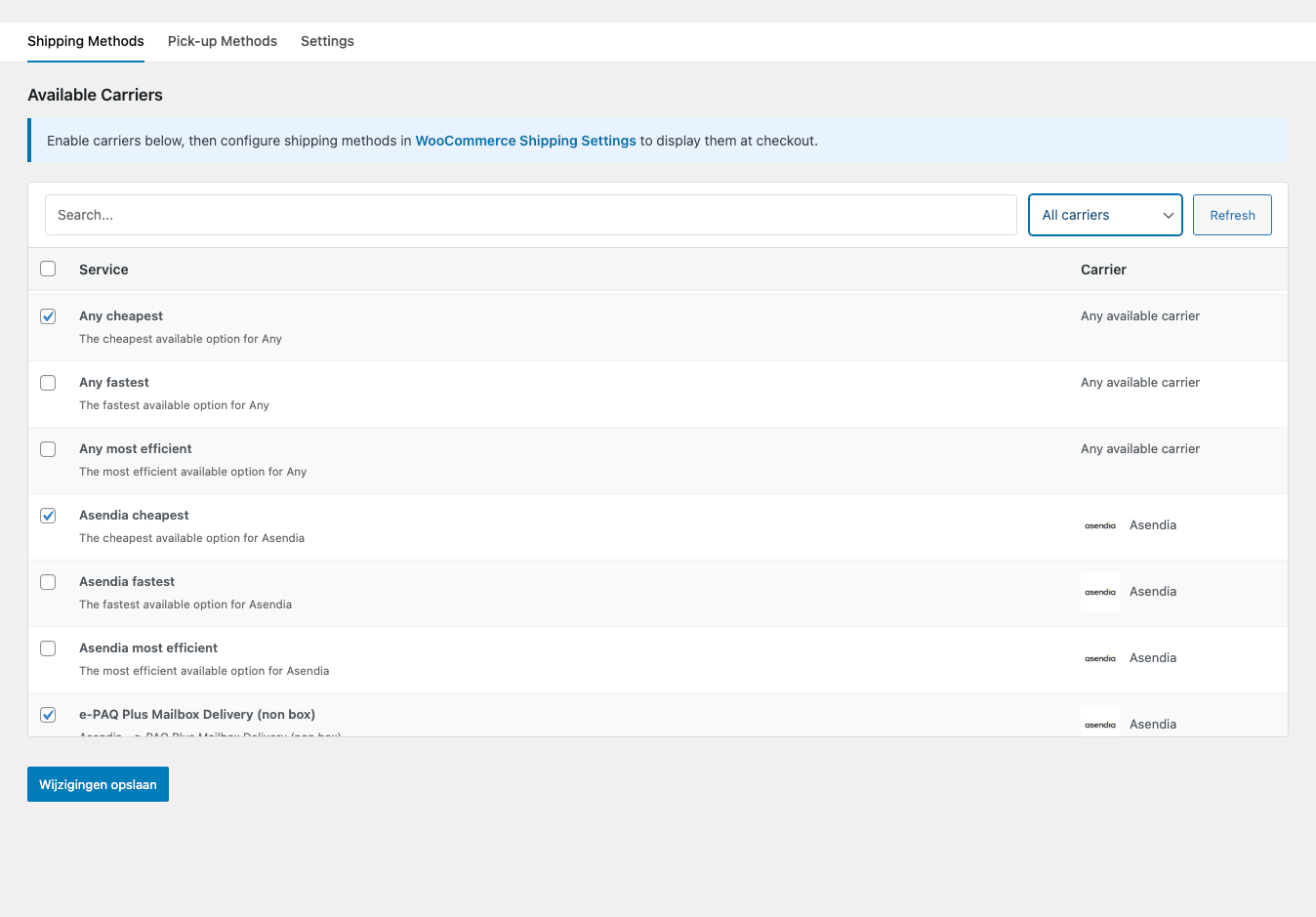
- In the Shipping Methods tab, use the checkboxes to enable the appropriate carrier services to be mapped in WooCommerce Shipping.
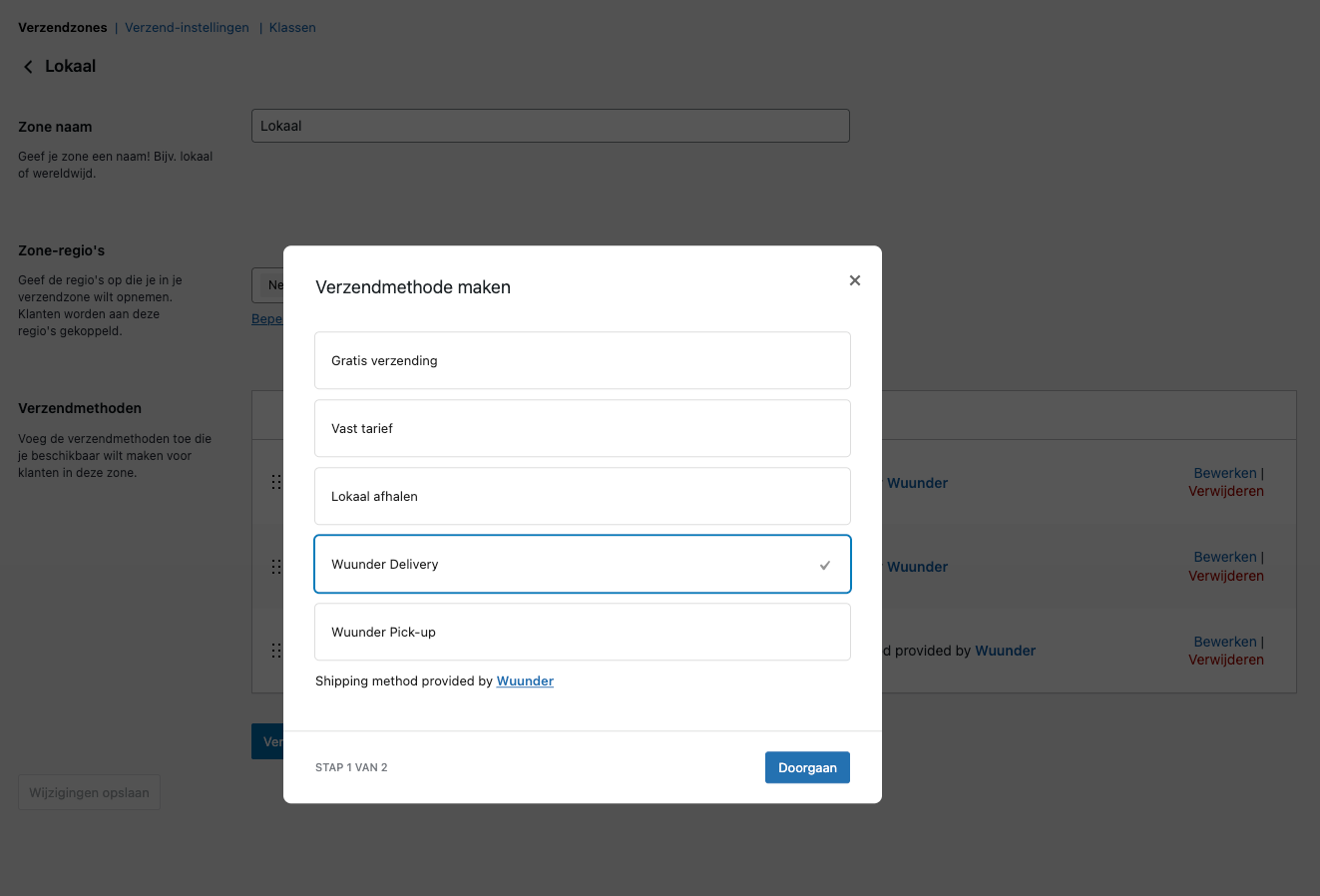
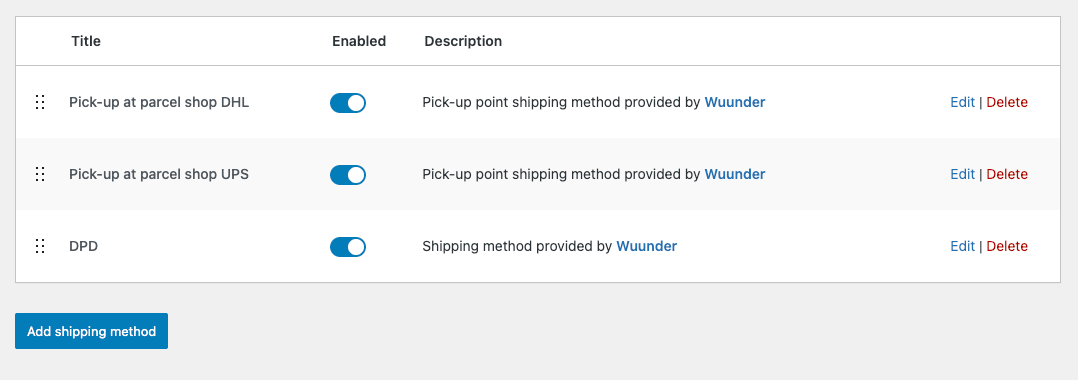
- Once the services have been selected, navigate to WooCommerce > Settings > Shipping. Select a shipping zone, then click the "Add shipping method" button. In the "Create shipping method" popup, select "Wuunder Delivery."
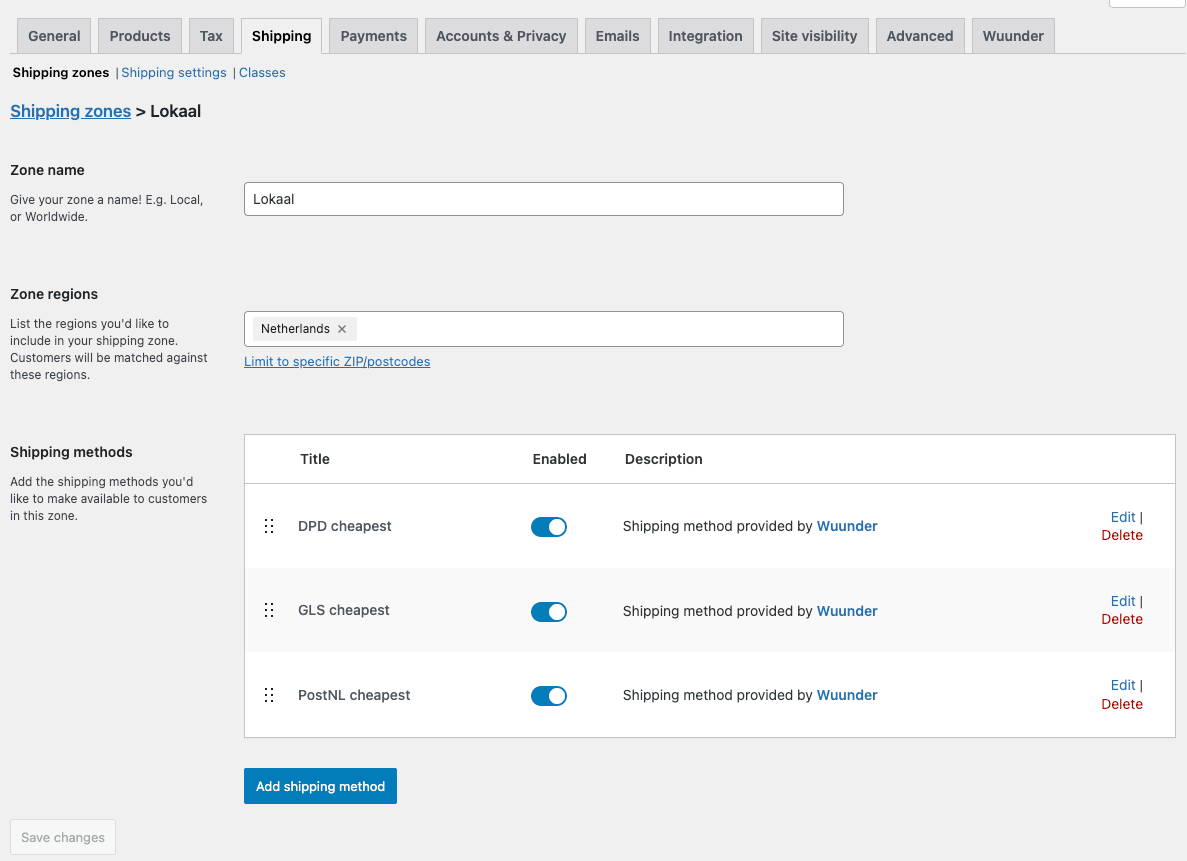
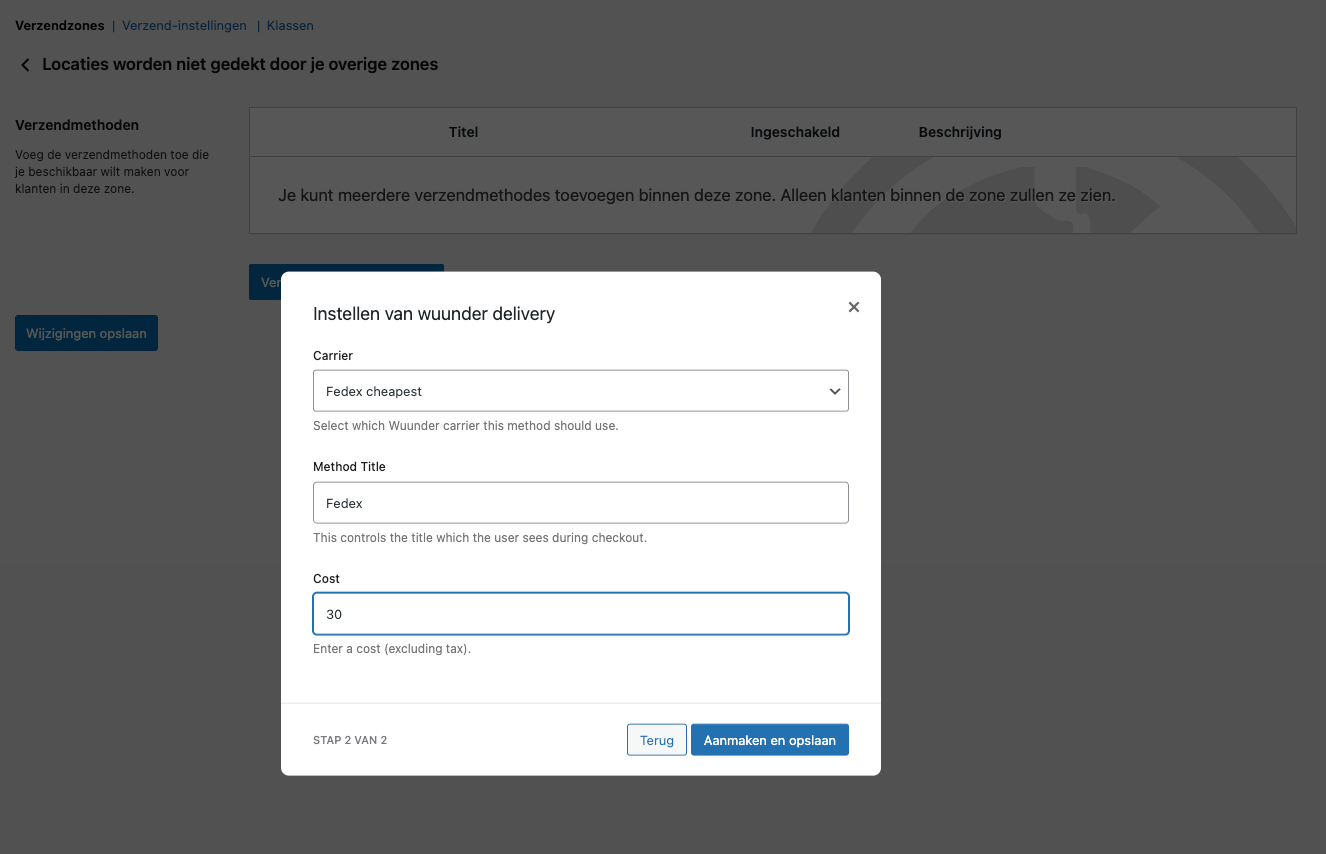
- The "Carrier" dropdown menu should load all of the Wuunder services enabled in step 1. Select a service from the dropdown and give the shipping method a title (to be displayed in the checkout page) and a price. Save.
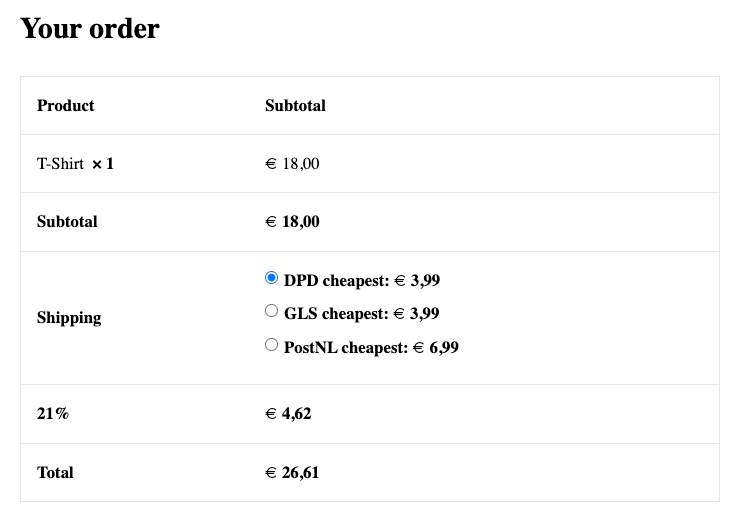
- The added shipping method will be available for selection in the checkout. If the method is selected, the Wuunder service will be added to the Order API export payload. This will ensure that the correct service will be applied to the shipment when exported to MyWuunder.
PICK-UP METHODS (PARCELSHOP LOCATOR)
If your Wuunder contract includes parcelshop delivery you can enable the Parcelshop Locator in the checkout.
- In the Pick-up Methods tab, use the checkboxes to enable the appropriate carrier services to be mapped in WooCommerce Shipping.
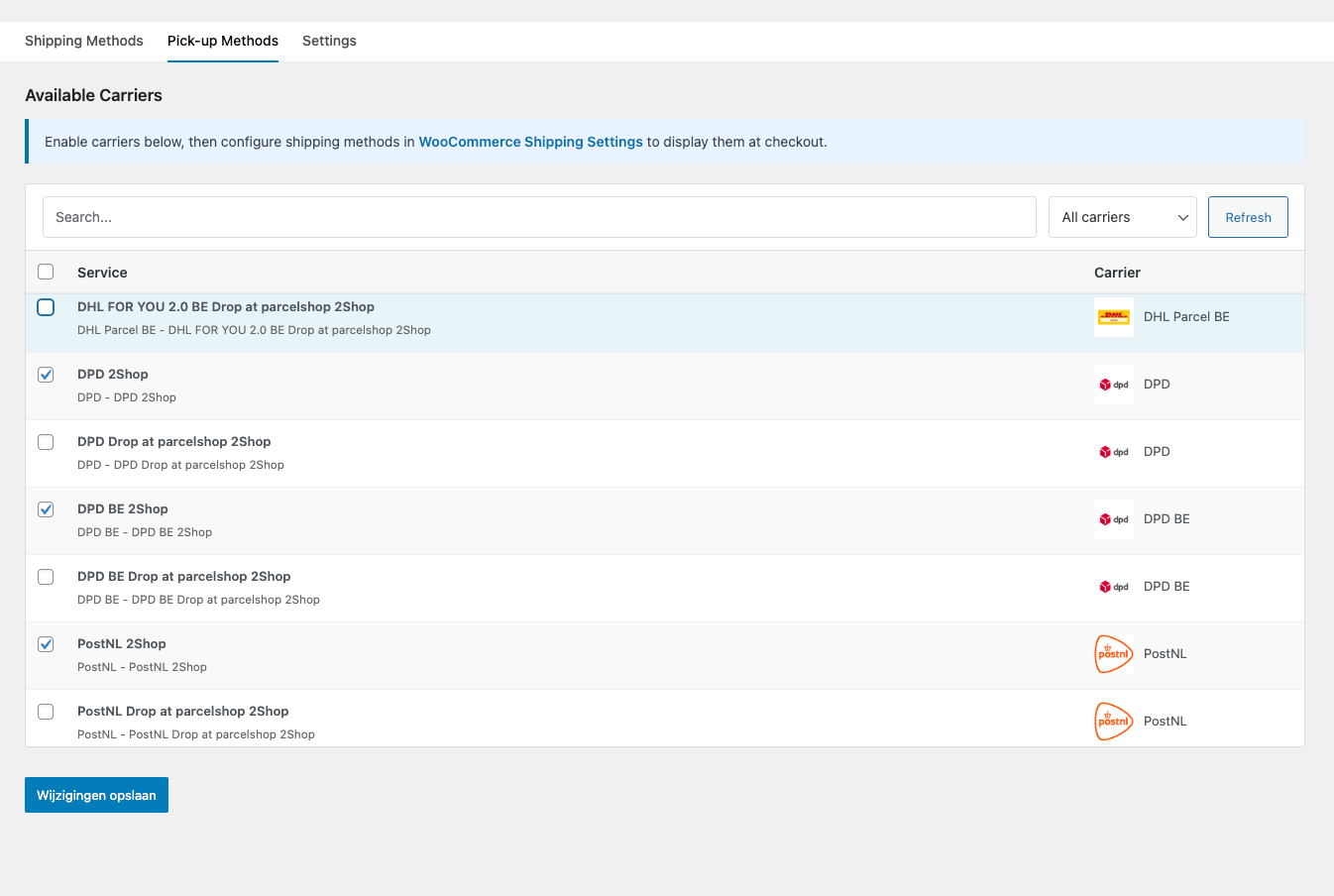
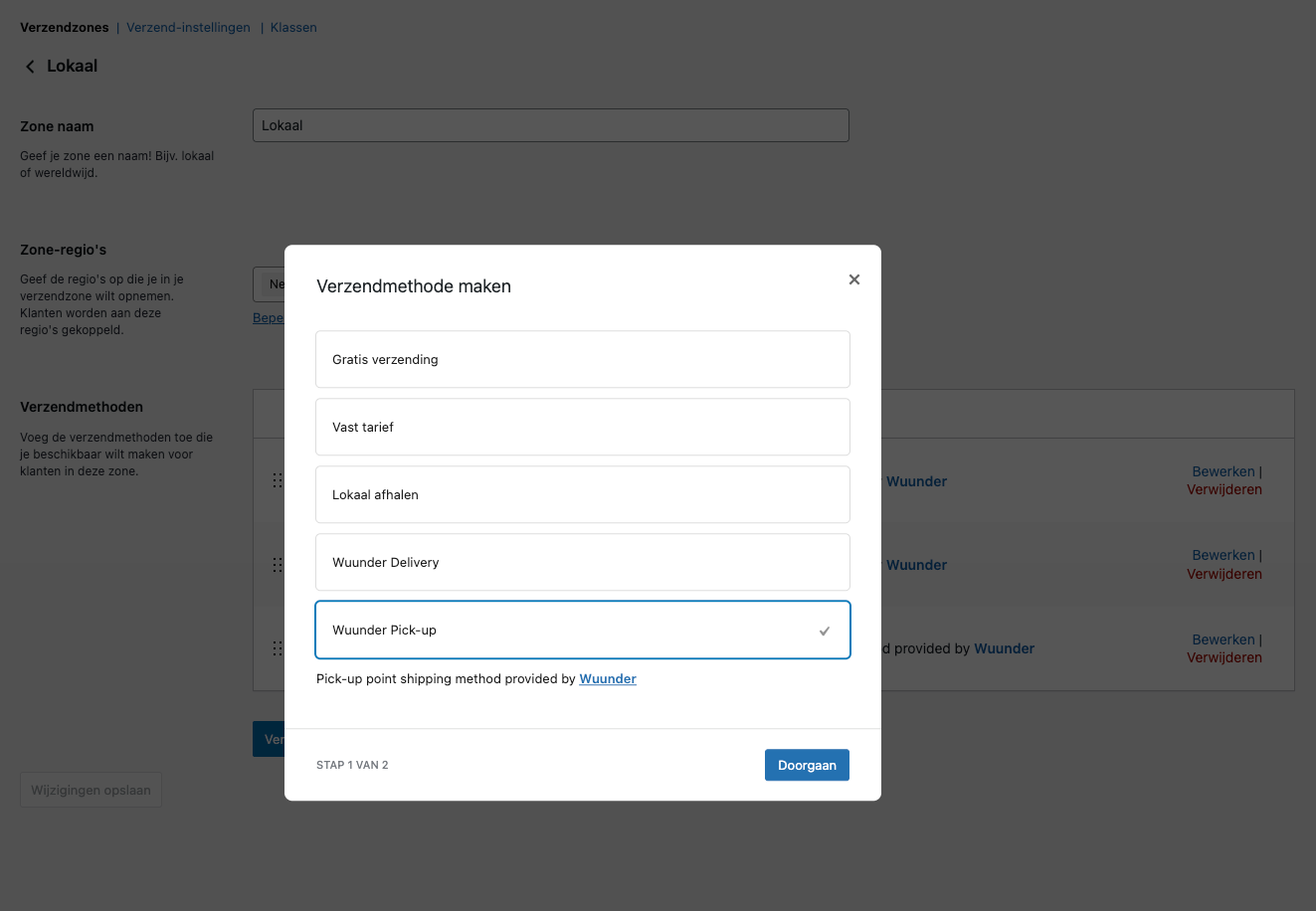
- Once the services have been selected, navigate to WooCommerce > Settings > Shipping. Select a shipping zone, then click the "Add shipping method" button. In the "Create shipping method" popup, select "Wuunder Pick-up."
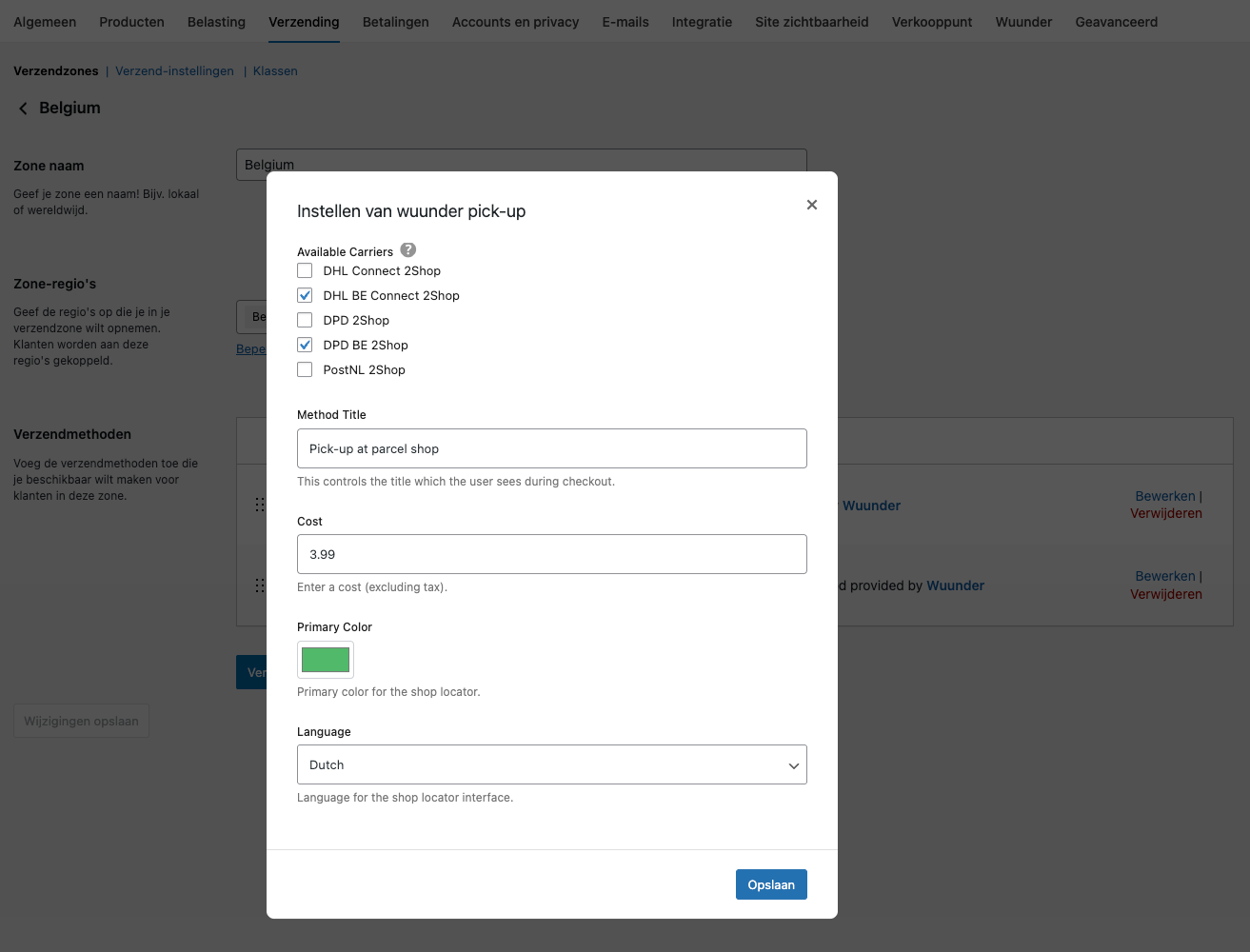
- The Available Carriers options should be loaded automatically based on your contract. It is possible to enable or disable individual carriers using the checkboxes. It is also possible to customise the colour and language if desired. Give the shipping method a title and price. Save.
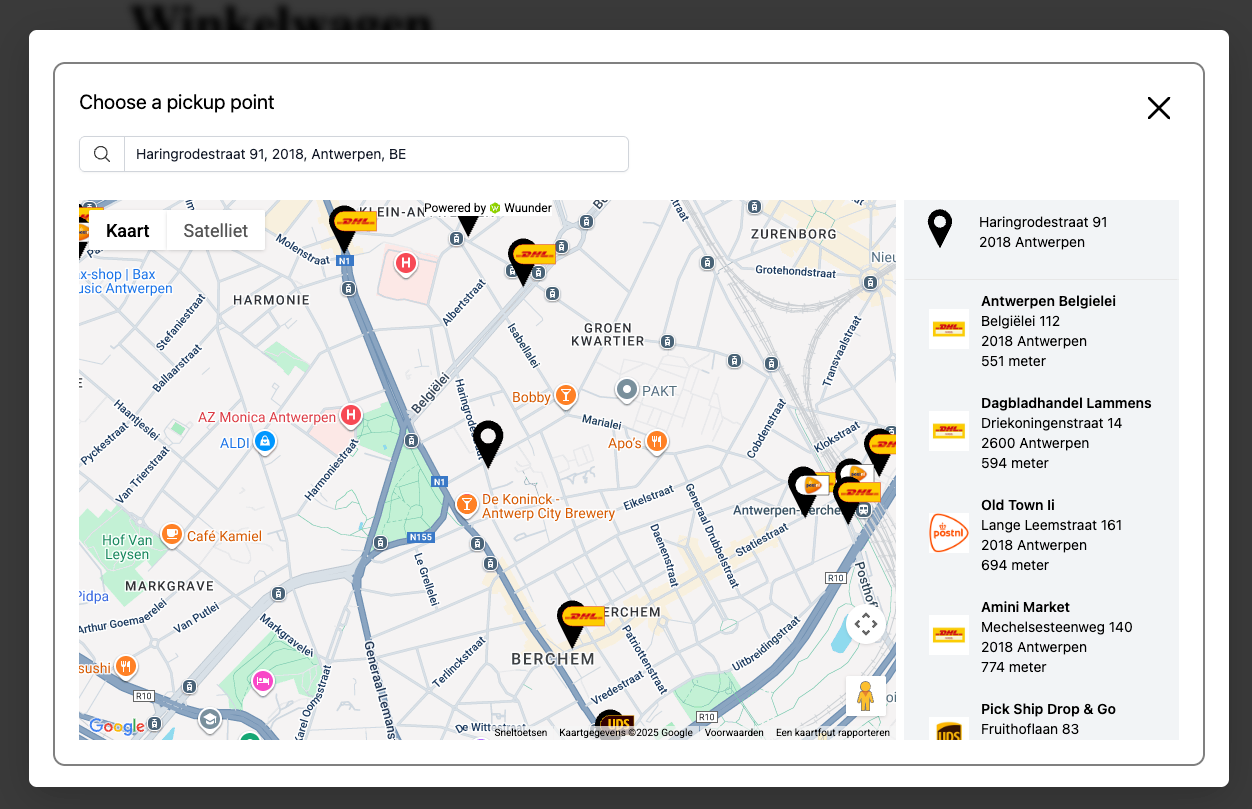
- The added shipping method will be available for selection in the checkout. If selected, the customer will be required to select a parcelshop using the Parcelshop Locator popup.
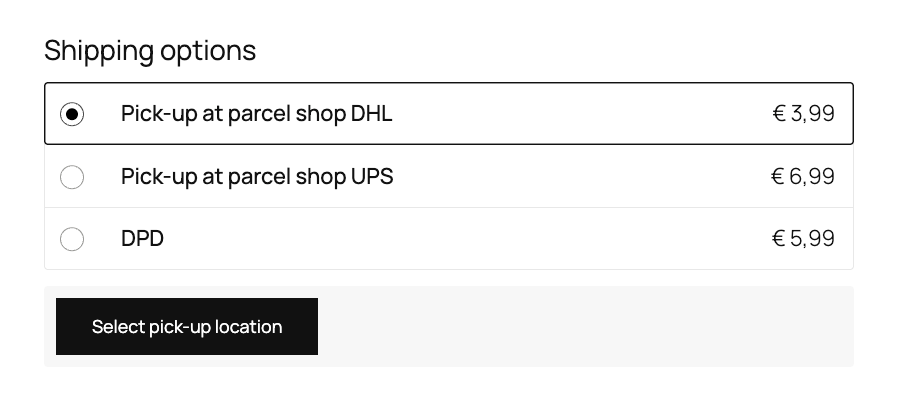
- To add separate prices per carrier: For each carrier, create a new "Wuunder Pickup" shipping method and check only that single carrier. It's advised to add the carrier name to the method title for clarity if necessary. The shipping service will appear as an individual option in the checkout.
Was dit artikel nuttig?
Dat is fantastisch!
Hartelijk dank voor uw beoordeling
Sorry dat we u niet konden helpen
Hartelijk dank voor uw beoordeling
Feedback verzonden
We stellen uw moeite op prijs en zullen proberen het artikel te verbeteren