This article contains the technical specifications of Paazl's SOAP API order call.
Use this request to create a pending order in the Paazl database. The pending order will have a special order reference and will not be visible in the order overview of your web app account. You can include product attributes in the request to retrieve the shipping options and shipping rates that you have specified for that product in your delivery matrix.
Pending orders
When processing orders, Paazl uses two different order types to model the purchase transaction: a "pending order" and an "order". The pending order serves as a temporary reference point for available shipping options. When your customer selects an option and clicks "Buy", the pending order becomes an order and you have to commit it.

The following is a more detailed description of how this works:
- A customer places an item in your webshop's shopping basket
- Step 1 triggers an orderRequest call to Paazl with your reference code in the call's
orderReferenceelement - Paazl creates a pending order in its database using your reference code. The order is not yet visible on your account.
- Your customer fills in his/her address details
- Step 4 triggers a shippingOptionRequest call to Paazl, following which the returned options are displayed in your checkout
- Your customer selects a shipping option, fills in his/her payment details, and clicks the "Buy" button
- Step 5 triggers a commitOrderRequest call to Paazl. This call contains a reference to the pending order (
pendingOrderReference) and a (new) reference for the order (orderReference) - Paazl creates the order in its database using the <orderReference> value, and displays the order in your webshop account
Example
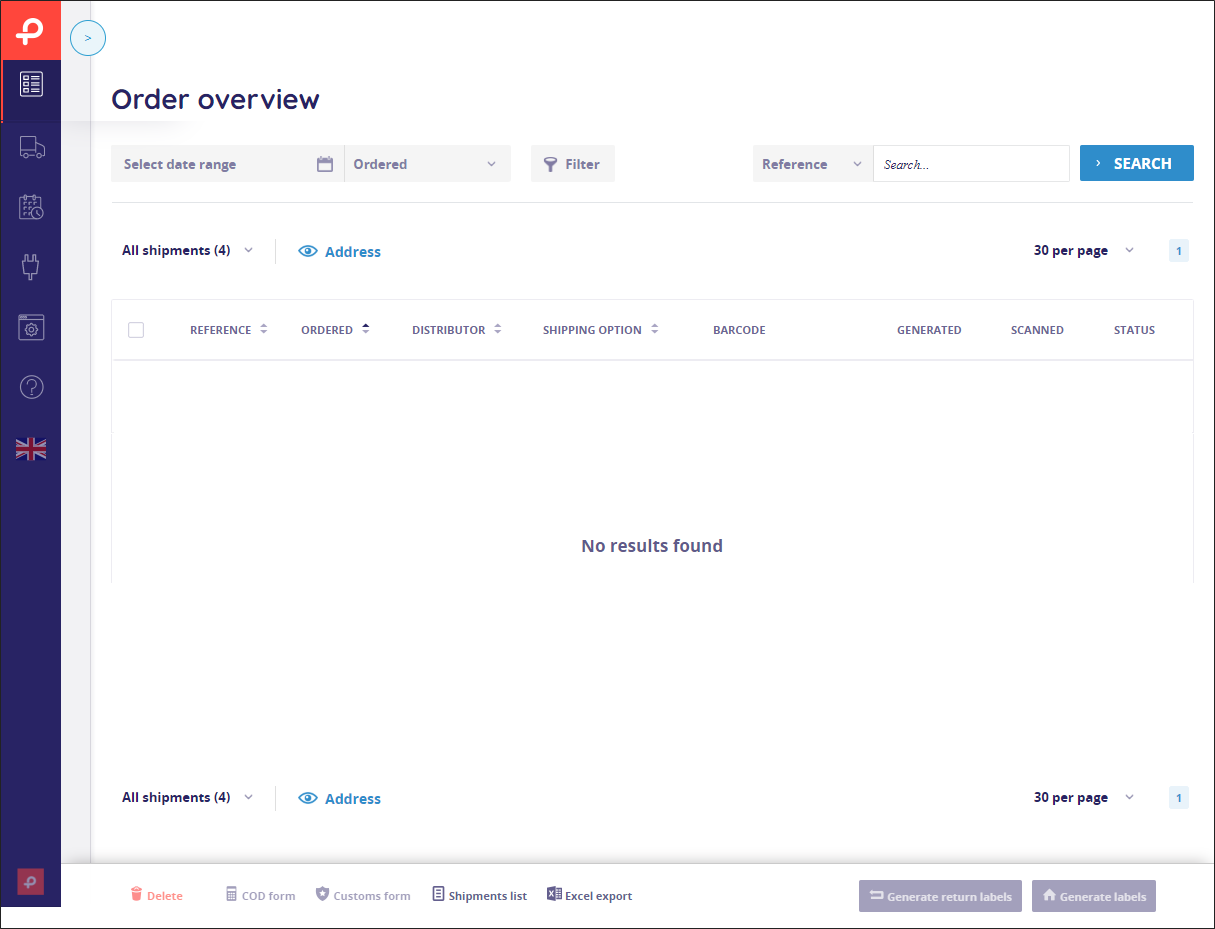
Assume a customer is in your checkout and has filled in his/her address details. Using the orderRequest call's orderReference element, you tell Paazl that the reference code for the pending order is temp0001. That value is stored in Paazl's database but it is not visible in your webshop's Paazl account.
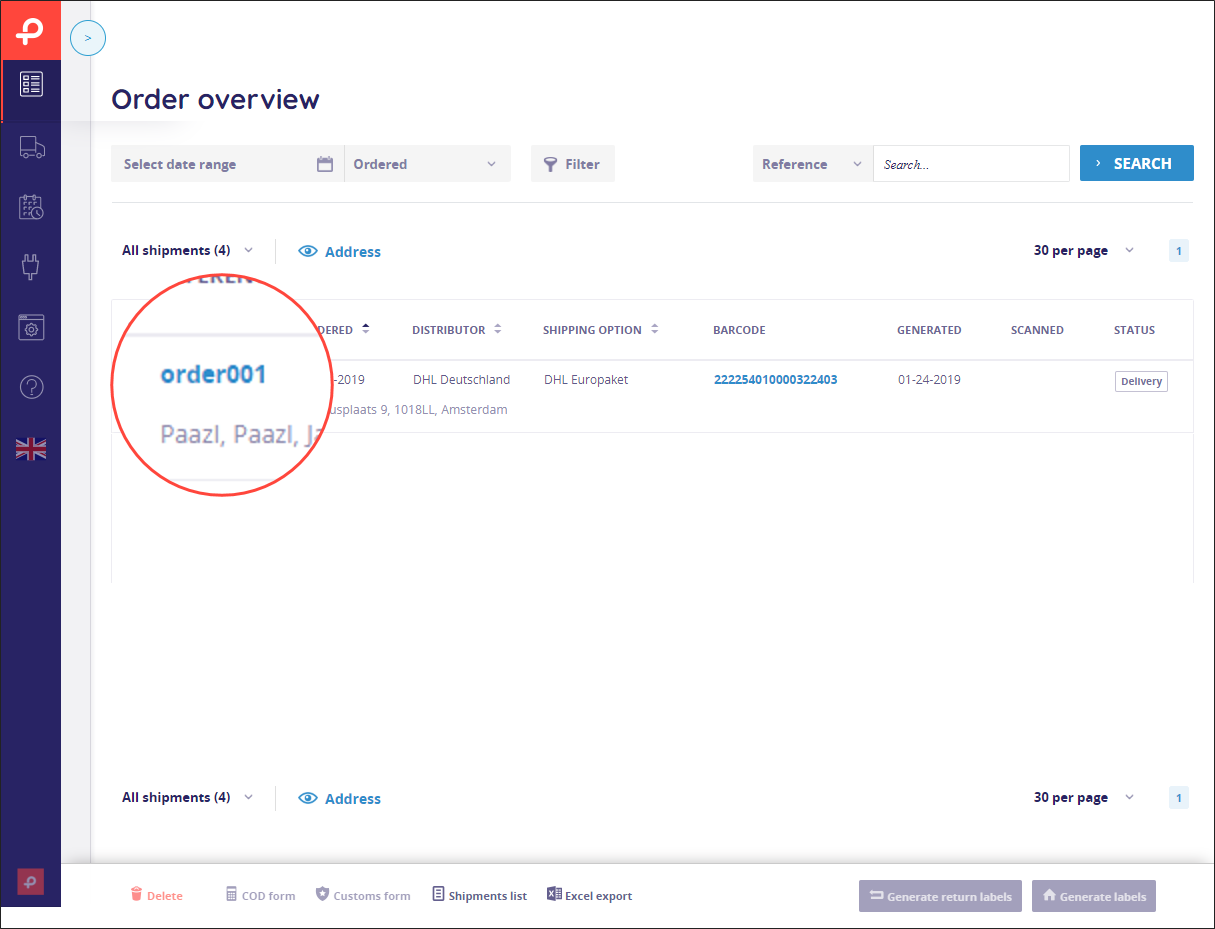
Your customer now clicks "Buy" and you send a commitOrder request to Paazl. You tell Paazl that the pending order concerned is temp0001 using the pendingOrderReference element. At the same time, using the orderReference element, you tell Paazl that the reference code you want to use for the committed order is order0001. Paazl creates the order with reference code order0001 and it appears in your Paazl account.
Product attributes
Paazl uses a product's attributes—such as height, weight, or value—to determine which shipping option applies to an order. It does this using the delivery matrix settings you have configured in your Paazl web app account. See About delivery matrices for information on how delivery matrices work.
Request
Element specifications
| Element | Type | Required? | Description |
|---|---|---|---|
hash | String(255) | Yes | An SHA-1 encrypted authentication code. The string you encrypt is a concatenation of the following substrings: <webshop ID> + <integration password> + <order reference> You will find the webshop ID and integration password in your Paazl web app account under Settings > My Account Example Webshop ID: "store12" Integration password: "myPassword" Order reference: "Order001" String to encrypt: "store12myPasswordOrder001" |
webshop | long(10) | Yes | The Webshop ID of your main webshop. You will find this in the Paazl UI under Settings > My Account |
targetWebshop | long(10) | No | If you use multiple webshops, this is the webshop ID of a child webshop (a.k.a. Paazl sub-account). You will find it in the Paazl web app account of the child webshop concerned under Settings > My Account. The hash you create using the webshop ID of your parent webshop (a.k.a. main account) will give you access to its child webshops as well. |
reference | String(255) | Yes | Your webshop's reference code for the order concerned. |
products | Complex element | Yes | Contains information on the products making up an order. |
quantity | positiveInteger | No | The number of items of a particular product type in a shipment. |
packagesPerUnit | positiveInteger | No | The number of packages required for a single product. Required if the carrier is TSN. |
matrix | String[A-Za-z] | No | The column of the delivery matrix that applies to a product. |
weight | nonNegativeDecimal | No | The weight in kilograms (kg) of a product. Required if the carrier is UPS and FedEx. |
width | nonNegativeInteger | No | The width in whole centimeters (cm) of a product. |
length | nonNegativeInteger | No | The length in whole centimeters (cm) of a product. |
height | nonNegativeInteger | No | The height in whole centimeters (cm) of a product. |
volume | nonNegativeDecimal | No | The volume of a product in cubic meters (m³), including packaging. Required if the carrier is TSN. |
code | String | No | A product's article code. Required if the carrier is TSN. |
description | String | No | A description needed for Customs purposes. Required if the carrier is UPS. |
countryOfManufacture | String | No | The ISO 3166-2 code for the country in which the goods being shipped were manufactured. Required if the carrier is FedEx. |
unitPrice | nonNegativeDecimal | No | The price of a product. |
unitPriceCurrency | String(3) | No | The ISO 4217 code of the currency concerned. The default value is EUR. |
hsTariffCode | String | No | The HS code for the commodity category of the product concerned. |
direction | directionType | No | Concerns swap orders where some products are to be picked up at a pickup location with others delivered to the consignee's address. Can have one of two values:
|
processingDays | nonNegativeInteger | No | The number of days a warehouse needs to get an order ready for pick-up by a carrier. |
promotionAbsolute | Boolean | No | If true, the discount will be assumed to be an absolute value. If false, the discount will be assumed to be a percentage. In case of multiple products, you are required to set the same value for each. |
promotion | Decimal | No | Can be used to discount prices in the shippingOptionResponse call. In case multiple products have different discounts, the highest discount will be applied to all prices. |
Sample request
<soapenv:Envelope xmlns:soapenv="http://schemas.xmlsoap.org/soap/envelope/"
 xmlns:mat="http://www.paazl.com/schemas/matrix">
   <soapenv:Header/>
   <soapenv:Body>
      <mat:orderRequest>
        <mat:hash>2c3b01dc6bc280ffa4d643955555257b82d1d261</mat:hash>
         <mat:webshop>491</mat:webshop>
         <mat:targetWebshop></mat:targetWebshop>
         <mat:orderReference>214748364720151230095732</mat:orderReference>
         <mat:products>
            <mat:product>
               <mat:quantity>1</mat:quantity>
               <mat:packagesPerUnit>1</mat:packagesPerUnit>
               <mat:matrix></mat:matrix>
               <mat:weight>1</mat:weight>
               <mat:width>10</mat:width>
               <mat:height>15</mat:height>
               <mat:length>10</mat:length>
               <mat:volume></mat:volume>
               <mat:code></mat:code>
               <mat:description>Test</mat:description>
               <mat:countryOfManufacture>NL</mat:countryOfManufacture>
               <mat:unitPrice>50</mat:unitPrice>
               <mat:unitPriceCurrency>EUR</mat:unitPriceCurrency>
               <mat:hsTariffCode></mat:hsTariffCode>
               <mat:processingDays></mat:processingDays>
               <mat:promotionAbsolute></mat:promotionAbsolute>
               <mat:promotion></mat:promotion>
            </mat:product>
         </mat:products>
      </mat:orderRequest>
   </soapenv:Body>
</soapenv:Envelope>
Response
Element specifications
| Element | Type | Description |
|---|---|---|
succes | String | Contains the message "Order successfully saved". |
Sample response
<SOAP-ENV:Envelope xmlns:SOAP-ENV="http://schemas.xmlsoap.org/soap/envelope/">
   <SOAP-ENV:Header/>
   <SOAP-ENV:Body>
      <orderResponse xmlns="http://www.paazl.com/schemas/matrix">
         <succes>Order successfully saved</succes>
      </orderResponse>
   </SOAP-ENV:Body>
</SOAP-ENV:Envelope>
Was this article helpful?
That’s Great!
Thank you for your feedback
Sorry! We couldn't be helpful
Thank you for your feedback
Feedback sent
We appreciate your effort and will try to fix the article